Moving profile pictures
Turn a selfie into a subtly animated photo for a profile, avatar, or dating app that feels alive instead of frozen.

Bring a still image to life in minutes. Upload a photo and this ai image animation generator adds subtle, looping motion for social media, a profile, or a favorite memory — every export is watermark-free.
Per image · JPG, PNG or WebP · up to 20.0 MB · up to 6000×6000px
Sign in with Google — eligible Gmail or googlemail accounts get free signup credits, no card needed to start. Animate images with AI in minutes.
Reviewed by ImgVid TeamUpdated
See it in action
Real clips made from a single still — see how AI adds lifelike motion to turn a flat image into moving pictures you can post anywhere.
How it works
Three steps take you from a still image to a looping clip — animate photo online ai free to start, and every export is watermark-free.
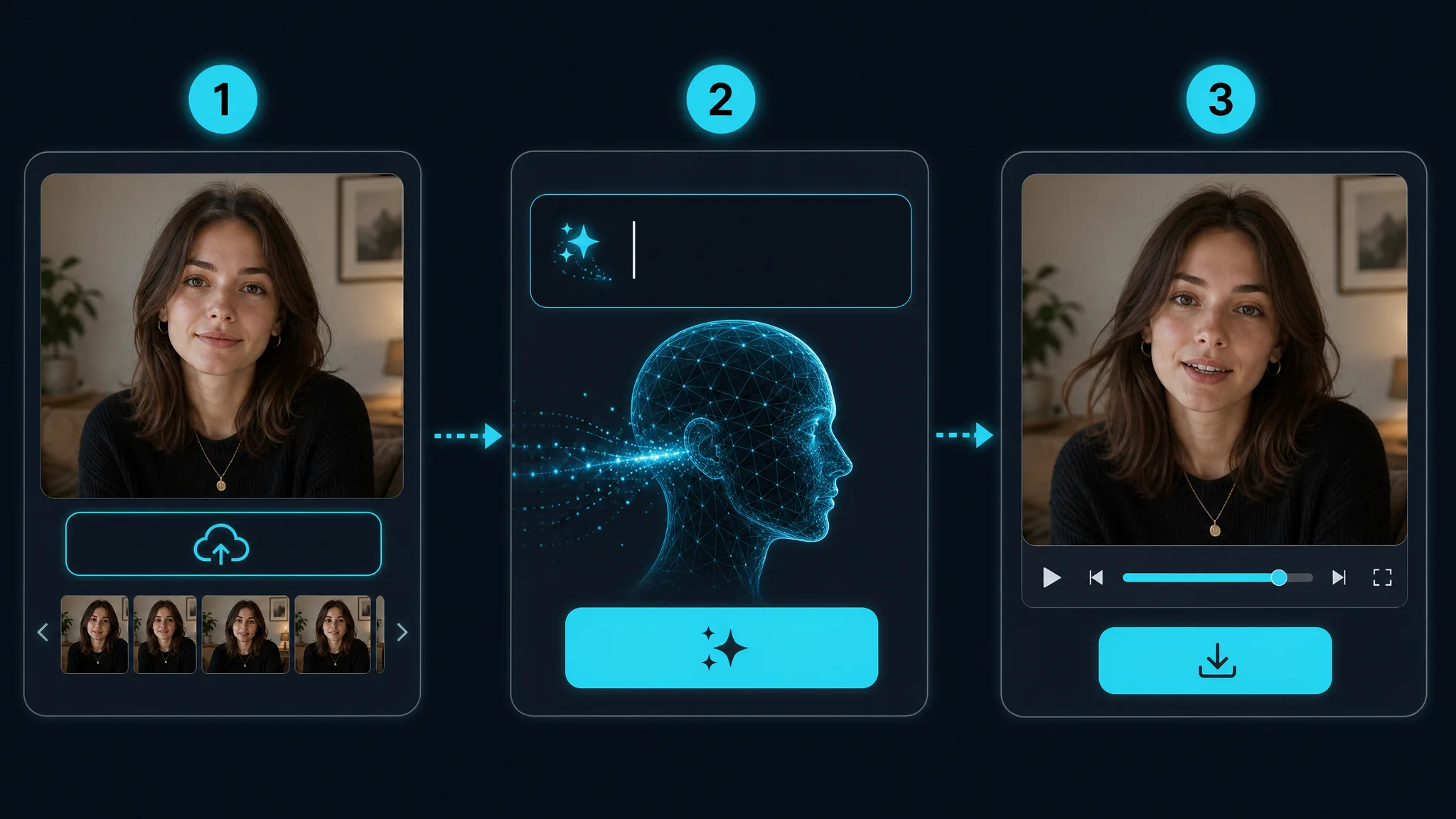
Sign in with Google, then drag in any JPG or PNG — a portrait, pet, landscape, or piece of artwork. High-resolution images give this photo animation more detail to bring to life, but even a phone snapshot works. A clear, well-lit subject with an obvious focal point animates most convincingly.
Choose an AI model and describe the movement you want, or let the tool add subtle looping motion automatically. This is where an ai animation generator from image decides how your subject and camera should move — a slow push-in, a drifting breeze, or gentle parallax. Pick an aspect ratio when the selected model exposes it (9:16 for reels, 16:9 for a hero) to match where you will post.
The AI predicts new frames from your single image and returns a short, playable clip in minutes. Preview it, regenerate with a tweaked prompt for a different take, then download your animated image — watermark-free — to share on TikTok, Instagram, or a profile.
What you can do
Describe the motion and this ai animation generator from image predicts brand-new frames so your subject actually moves — real image animation, not a camera pan across a static picture. No keyframes, no timeline, no motion-design skills.
Animate your photoAdd gentle, looping movement that makes a flat picture feel alive — perfect for living photos, moving profiles, and moody backgrounds. Create moving pictures with ai in a single click, then loop them seamlessly.
Create a moving pictureAnimate images with ai online, free to start and watermark-free. Every animated clip is yours to keep and download, so you can turn a whole gallery of stills into moving posts.
Try it freeExport vertical, square, or widescreen clips so your animate-photo-for-social-media output fits Reels, TikTok, and stories when the selected model and mode expose an aspect control; auto-framing image modes follow the uploaded image, so prepare the source in the target shape before upload. Give a still profile picture or product shot motion that stops the scroll.
Animate for socialWhy imgvid
A free-to-start image animation tool focused on lifelike motion and watermark-free ai animated photos, not slideshow transitions.
The model generates movement inside your image, so a still becomes a genuine ai animated photo — the lifelike look you cannot get from a Ken Burns pan or a photo slideshow, and with no Magic Animate model or ComfyUI setup to wrestle with.
Get smooth, high-quality photo animation with natural movement and film-style camera moves, ready to post without ever opening a video editor.
Switch between animation models to match your subject and budget — one place to animate images with ai, with no separate accounts and no per-model checkout.
Most clips finish in under a minute, so you can try different prompts and pick the best moving version of your picture instead of waiting on a render queue.
People, pets, products, landscapes, and artwork all work as input — an ai animation generator from image that is not limited to one type of photo.
Sign in with Google and eligible accounts get free signup credits, with watermark-free output and no card needed to begin — an animation tool anyone can start using today.
Use cases
From moving profile pictures to scroll-stopping posts, here is what creators turn an image to animation ai into.
Turn a selfie into a subtly animated photo for a profile, avatar, or dating app that feels alive instead of frozen.
Animate photo for social media so a still image gently loops and catches the eye in a fast-moving feed.
Add lifelike motion to vintage pictures so a frozen memory feels alive again and worth sharing with family.
Loop a favorite landscape into moving photos for a phone background or an ambient screen that quietly drifts.
Bring a drawing, painting, or anime still to life with drifting, breathing motion and subtle camera moves.
Use image to animation ai to give a product shot subtle motion for a store listing, reel, or paid ad.
FAQ
An ai image animation generator adds motion to a single still image. The result is a short, looping video. You upload a photo, the AI predicts realistic in-between frames, and a static picture — a portrait, pet, or landscape — becomes a few seconds of lifelike movement, with no timeline editing or animation skills required.
Sign in with Google and upload your image. This tool will animate a picture in a few clicks — pick a model or let it add subtle looping motion automatically, then generate, preview, and download. If the first take is not quite right, adjust the motion and regenerate for a new version.
You can animate photo online ai free to start. Generation requires Google sign-in, and eligible Gmail and googlemail accounts get free signup credits, so no card is needed to try it. It is a genuine animate photo ai free workflow with watermark-free exports, so the clips you make are clean and yours to use.
Yes — generation requires Google sign-in so your credits, uploads, and history stay tied to your account. Eligible Gmail and googlemail accounts get free signup credits, so you can start creating ai animated images at no cost, with no subscription needed just to try it.
A slideshow maker just pans across your existing photos and adds transitions. This image animation generator creates brand-new frames inside a single picture, so the subject actually moves — hair sways, water ripples, and eyes blink. It produces real image animation, not a slide of static pictures.
Clear, high-resolution images give the AI more detail to animate. That said, portraits, pets, products, landscapes, sketches, and old photos all work. A simple, well-lit subject with a clear focal point usually produces the most convincing photo animation.
Yes — you can create moving pictures with ai in any shape. Export them vertical, square, or widescreen so your clips fit TikTok, Instagram Reels, and stories. It is an easy way to animate photo for social media and create moving pictures without filming anything.
Most clips finish in under a minute, depending on the model, resolution, and length you choose. You can generate several takes and keep the best animated image — free to start and watermark-free every time.
You can generate vertical (9:16), square (1:1), and widescreen (16:9) clips. Your animated photo then fits reels, posts, and website heroes when the selected model and mode expose an aspect control; auto-framing image modes follow the uploaded image, so prepare the source in the target shape before upload.
Exports are designed to be watermark-free. The moving photos you make from your own images are clean and yours to use in posts, ads, and profiles. Just make sure you hold the rights to the source picture you upload — this matters most for photos of other people or licensed artwork.
No — an ai image animation generator exists precisely to skip editing. You upload an image and the AI handles the motion. There is no timeline, no keyframing, and no software to learn to create moving pictures from a single photo.
More tools
Sign in with Google and animate a picture in minutes — free signup credits, watermark-free output.
Try the AI image animation generator