Social clips with no footage
An ai video generator free online fills a posting schedule when nothing is filmed.

Describe a scene and this free text to video generator renders it — no footage, no stock library, and no image to upload. Sign in, spend a few credits, and download the clip without a watermark.
Per image · JPG, PNG or WebP · up to 20.0 MB · up to 6000×6000px
Sign in with Google — eligible Gmail or googlemail accounts get free credits, no card needed to start. Write a prompt, pick a model, and generate a clip in minutes.
Reviewed by ImgVid TeamUpdated
See it in action
Every clip below started as a sentence. No image was uploaded and no stock footage was licensed.
How it works
Three steps, no upload, no timeline. Free to start with the credits you get from signing in, and every export leaves without a watermark.
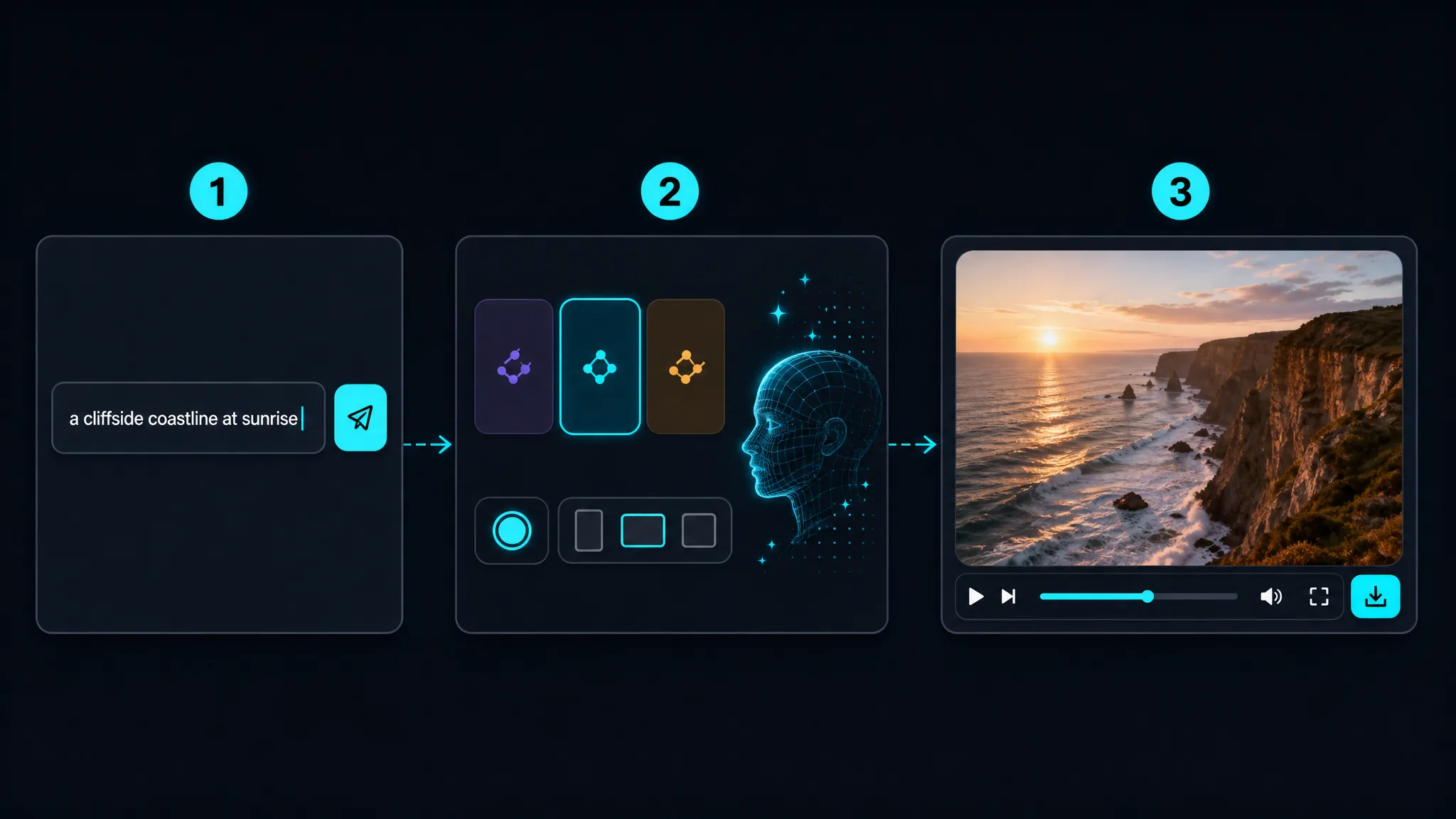
Sign in with Google and type a description of the scene. Subject, setting, camera movement, and lighting are the four things worth naming — "drone shot over a rocky coastline at sunrise, slow push forward" gives the model far more to work with than "a beach". Unlike the image modes, nothing needs uploading: as a free ai video generator from text, the prompt is the entire input.
Different models trade speed against detail, and several return generated sound alongside the picture. Choose an aspect ratio for where the clip is going — vertical for a feed, widescreen for a site header. Each render costs credits, and the model picker shows what you are spending before you commit, so a text to video generator run never surprises you at the end.
The clip renders in about a minute and plays straight back in the browser. Adjust the wording and run it again if the framing or the pace misses — prompt changes are the fastest way to steer the result. When a take works, download it. Every export is text to video ai free without watermark, including clips made on free credits.
What you can do
Image-to-video needs a picture you already have. A free ai video generator from text needs nothing but a sentence, which is what makes it useful for scenes that were never photographed — a concept, a product that does not exist yet, or a place you have not been.
Write a promptSeveral models return audio with the picture, written from the same prompt. Name an instrument, a genre, and a mood and the score follows. You describe sound in words here rather than uploading a track, because there is no audio upload and no music library.
Describe the soundPlenty of tools stamp a logo on anything made without paying. This is text to video ai free without watermark from the first render — clips made on signup credits export exactly like paid ones, which matters if you are testing whether the output is usable at all.
Try a free renderVertical, square, and widescreen output means a free text to video ai clip drops into a feed, a slide, or a site header without cropping. Pick the shape in the text to video generator before you render, rather than fixing the framing afterwards.
Pick an aspect ratioWhy imgvid
Most tools in this category are vague about the free tier. Here is the specific version.
Signing in with Google gives eligible accounts free credits. Each render spends some, and the picker shows the cost before you generate — no card, and no surprise at checkout.
Clips made on free credits export identically to paid ones. Nothing is stamped across the frame and nothing is added to the corner.
No timeline, no keyframes, no asset library. Describing the scene in a sentence is the entire creative step.
Swap between models to trade speed for detail, or pick one that returns sound, without moving to another tool.
Most renders finish in about a minute, so rewriting the prompt and comparing takes is practical rather than an hour-long loop.
The model renders new footage rather than assembling stock clips, so what comes back matches your description instead of approximating it.
Use cases
One written prompt, six different things people ship with it.
An ai video generator free online fills a posting schedule when nothing is filmed.
Show a client what an idea looks like moving before anyone commits budget.
Generate several versions of the same scene to test which framing or mood performs better.
Produce a moving segment for a lesson where a static slide would lose the room.
Render a looping widescreen background that matches your copy, not generic stock.
A text to video ai generator free of setup turns written shot descriptions into rough moving frames.
FAQ
It renders a short video from a written description instead of from footage or an image. You type a scene into the text to video generator, pick a model, and the AI generates the frames. Nothing is assembled from stock clips, which is why the result matches your wording rather than approximating it with library material.
Free credits, then metered usage. Signing in with Google is required, and eligible accounts get credits with no card. People searching for a free ai video generator from text no credits mean no money rather than no metering, and the starting balance covers that. You can top up later.
No — free clips carry no watermark. This is text to video ai free without watermark on every plan, including renders paid for with the free credits you start on — an ai text to video generator free of any stamp across the frame or badge in the corner. Worth checking elsewhere before you commit: several tools in this category watermark free-tier output and only say so in the fine print.
Yes — an account is required to generate. The models cost real money per render, so credits have to attach to someone; signing in with Google is the only step, and eligible accounts get their free credits immediately. No card, and no trial that quietly converts.
Renders are short by design — a few seconds each, depending on the model. That is the normal shape of a text video maker built on generation rather than editing. For anything longer, run the free ai text to video generator from several prompts and join the clips yourself.
Not as a file — but it is text to video ai free with audio all the same. Some models generate sound from the same prompt that drives the picture, so you describe the audio in words — an instrument, a genre, a mood. There is no track upload and no music library. If you need a specific song or a recorded voiceover, add it to the downloaded clip in your own editor.
Name four things: the subject, the setting, the camera movement, and the light. "A rain-soaked street at night, neon reflections, slow handheld push toward a doorway" gives the model far more to work with than "a city at night". Being specific about movement matters most, since that is what separates a video from a still.
Read the generator panel, not the headline. Several competitors advertise unrestricted free generation while capping renders per day in the interface. The model here is credits rather than a daily counter: you see the cost before each render and spend from a balance, which makes the arithmetic visible instead of hidden behind a reset timer.
Vertical, square, and widescreen, with no watermark. The available shapes depend on the model and mode you choose, so clips fit a feed, a slide, or a site header without cropping. Files download directly to your device and are yours to use, with no watermark and no extra export step.
Use text when the scene does not exist yet. Use image when you already have the photograph that matters — a product, a person, a place — because starting from that picture keeps the real subject intact. A free text to video generator online cannot preserve a face it has never seen. The photo to video page covers that path, and the two share the same credits and the same watermark-free export.
More tools
Sign in with Google, describe the scene you want, and download the clip in minutes — free credits to start, watermark-free output.
Open the free text to video generator