Product drops
A free ai reels generator turns a catalogue flat into a moving teaser, no shoot or set.

Upload a still and get an image to reel conversion in one render — a 9:16 vertical clip with real generated motion, shaped for Reels and Stories before you download it.
Per image · JPG, PNG or WebP · up to 20.0 MB · up to 6000×6000px
Sign in with Google — eligible Gmail or googlemail accounts get free credits, no card needed to start. Upload one image, describe the motion, and get a vertical clip ready to post.
Reviewed by ImgVid TeamUpdated
See it in action
Each of these started as one flat image. The vertical shape and the movement both came out of the same render.
How it works
Three steps and one picture. Free to start with credits from signing in, and clips leave without a watermark.
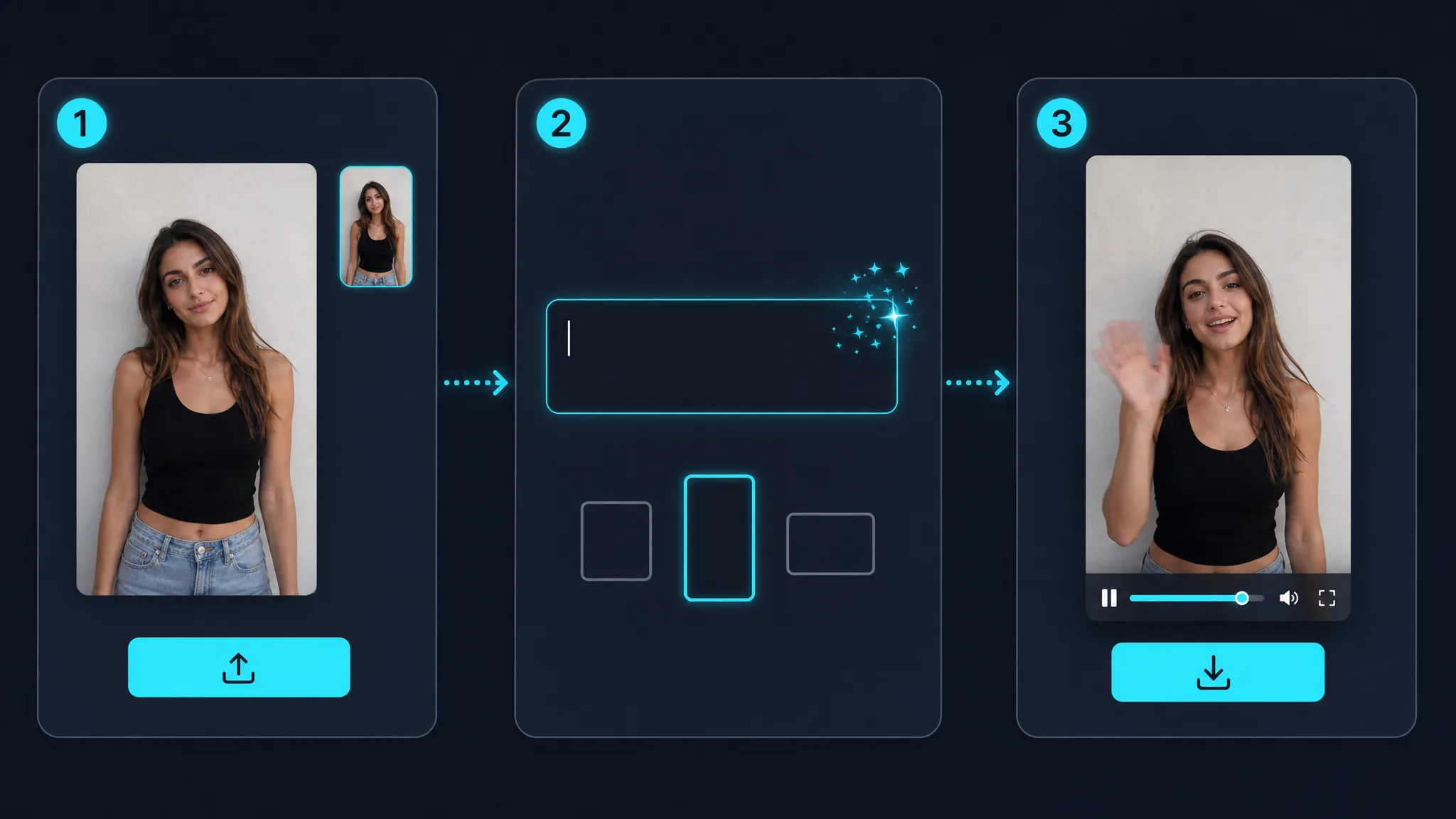
Sign in with Google and drop in a single picture — a portrait, product shot, illustration, or screenshot. This is an image to reel tool: the input is a photograph, not footage, so there is no video upload, no trimming, and no clip library. One image per render.
Write what should move and how the camera behaves — "slow push-in, shallow depth, moody light" or "quick handheld drift, bright and punchy". Pacing belongs in the prompt too, because a hook that holds the first second matters more in a vertical feed than anywhere else. As a free ai reel creator online this is the whole creative step; there is no timeline to arrange afterwards.
Start from a vertical source and the clip comes back vertical — image-driven modes follow the shape of the picture you uploaded, and some models expose an aspect control you can set first. Re-run with a different prompt if the movement misses, then download watermark-free and post it yourself — the tool generates the file, it does not publish for you.
What you can do
Most workflows make a clip and then squeeze it into a vertical frame, losing the edges. Here the image to reel conversion keeps the shape you start with, so a vertical source stays vertical and the composition is built for the feed rather than salvaged afterwards.
Make a vertical clipThe shape is the whole point for a lot of people searching — an insta story reels 9:16 maker free enough to test on one image before committing. As a free ai reel creator online it needs nothing installed: sign in, spend a few credits, and see whether generated motion suits your feed before you plan around it.
Try a 9:16 renderProduct flats, portraits, illustrations, and screenshots all work as input, which makes this an ai reel maker free of the usual requirement to have filmed something first. One photograph is the whole asset list, and an image to reel ai free render turns it into a clip.
Animate a stillAn instagram reel maker with photos from a shoot you already paid for costs nothing extra to try. Pick the frames that never got posted and turn each into its own vertical clip.
Use an existing photoWhy imgvid
What separates this from an editor is that the picture moves, and that the output shape is decided before the render rather than after it.
Upload a vertical frame and the clip stays vertical — the shape is settled going in, not salvaged by cropping afterwards, so faces and products stay where you composed them.
The model invents motion inside the picture — cloth moves, light shifts, depth appears. A pan across a still cannot do that.
Describe how the first second should feel and the render follows — that is the part of a vertical post that decides whether anyone stays.
Most renders land in about a minute, so you can compare a restrained take against an aggressive one first.
Phone photos, studio shots, flat lays, and illustrations all animate — not just material shot for video.
Sign in with Google and eligible accounts get free credits. No card to begin, and no logo burned across your post.
Use cases
One uploaded image, six kinds of vertical post people actually publish.
A free ai reels generator turns a catalogue flat into a moving teaser, no shoot or set.
A reels video maker built on one portrait gives a hook shot that holds the opening second.
Give a flat drawing parallax and motion so the work reads properly in a scrolling feed.
Bring one landscape frame to life for a story slot instead of posting it flat.
Add steam, sizzle, and a slow push to a plated dish shot taken on a phone.
Make a poster image move so it survives a fast scroll.
FAQ
It means one still picture goes in and a vertical video comes out. The AI generates new frames from that single image, so the subject and the light actually move, and the clip is produced at 9:16 rather than cropped into it afterwards. You describe the motion in a prompt and download the finished file.
No — the input is an image, not footage. Long-video trimming, clip converting, and editing a reel you already made are all outside what this tool does, because there is no video upload slot. If that is what you need, a video editor is the right tool. This page is for turning a photograph into a clip that did not exist before.
No — posting stays with you. The tool generates a file and hands it over; publishing happens in the app yourself. There is no account connection, no scheduling, and no auto-upload, which also means you never give this tool access to your social accounts. Download the clip and post it the way you normally would.
It is generated at 9:16, not cropped into it. Where the selected model and mode expose an aspect control, composition is decided before the render. Image-driven modes follow the uploaded picture, so prepare a vertical source when you want a vertical result.
Yes, within the free credits. Signing in with Google gives eligible Gmail or googlemail accounts credits to start — no card and no subscription. An image to reel ai free render spends from that balance. Renders spend credits, so the free allowance covers trying it on a few images rather than continuous output, and you can top up if it works for you.
Yes, though a different page suits it better. Text-to-video generation is available, so a text to reel maker free of any upload is possible when you have no image to start from. If that is your situation, the free text to video generator page is set up for it, with prompt guidance aimed at starting from words rather than a picture.
Start from a picture with depth, then describe motion that earns the first second. That is most of how to make trending ai video on instagram from a still: the hook is the movement, not the subject. Portraits and products against a simple background do well; very flat or heavily compressed images give subtle motion, and subtle rarely trends.
Captions are not burned in — no subtitle tool here, so this is a reel video creator rather than an editor. Some models generate sound from your prompt, so you describe a mood in words rather than uploading a track. Most people add trending audio and captions in the Instagram composer afterwards.
Renders are short by design — a few seconds each, which is the length a hook shot needs anyway. For a longer post, generate several clips from different stills and assemble them in whatever editor you already use. Each render here produces one clip from one image.
No watermark, on any plan. It is a free ai reel generator without watermark even on the credits you get for signing in. Nothing is stamped across the frame and nothing is added to the corner, so the file is ready to post as it comes out. An insta reel maker free of a corner badge is rarer than it should be, so it is worth checking elsewhere too.
More tools
Sign in with Google, upload one image, and download a 9:16 clip in minutes — free credits to start, watermark-free output.
Create an image to reel clip