A playful personal greeting
Choose a friendly portrait and a simple expression. Add a written greeting separately instead of expecting a face-animation effect to generate accurate lettering or a spoken message.

Give a portrait a playful expression with AI Face Dance Generator. Start with visible eyes and a clear smile, choose one expressive idea, and keep the person recognizable as the face moves.
Per image · JPG, PNG or WebP · up to 20.0 MB · at least 300×300px · up to 6000×6000px · aspect ratio 1:2.5–2.5:1
Check the displayed credit cost and your account balance before generating.
Expressive portraits
A small change in the eyes, mouth, or head angle can give a still portrait a new mood. Explore ideas built around a readable face, then compare each expression with the original photo.
Prepare the portrait
Start with a portrait whose features are easy to read. Choose a simple expression, then review the face throughout the movement. Small gestures often communicate more clearly than several competing actions.
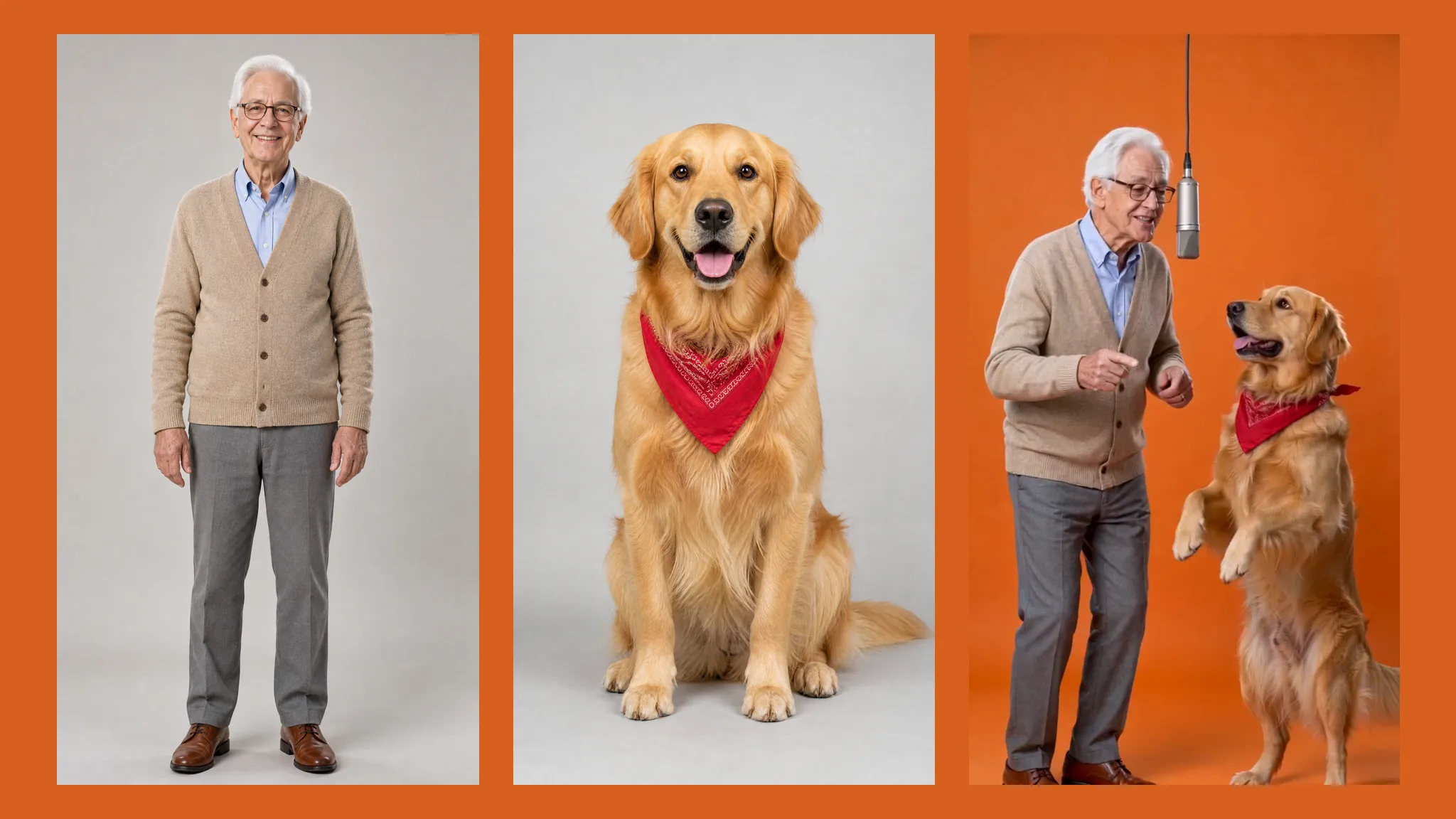
Look for a face that is easy to inspect without zooming far into the image. A front-facing or gentle three-quarter view gives you a useful starting point. Avoid deep shadow across one eye, a hand over the mouth, or a tiny face inside a large group. Keep an unchanged copy so you can compare the features after animation.
Choose one expression: a smile, raised eyebrows, or a gentle head tilt. Describe the visible change rather than combining several emotions. Keep the face prominent so viewers can follow the expression without being distracted by the background.
Watch the whole clip and compare it with your original photo. Check the eyes, mouth, face shape, and accessories as the expression changes. Look for a take that feels readable and keeps the person recognizable, then add any greeting or caption in your usual editor.
Choose the right kind of motion
Build the idea around the face: its gaze, smile, and familiar features. A focused expression gives viewers something clear to notice, even in a short clip viewed on a phone.
For a facial effect, the recognizable features are the main event. Start with a portrait whose expression is visible and whose face is not obscured by accessories. When reviewing a result, compare the eye shapes, mouth, and outline of the face with the source. More movement is not automatically a better result if it makes the person harder to recognize.
Explore face animationFor an expressive photo to dance video, a head-and-shoulders crop puts the movement where viewers can see it. Leave a little room around the head, keep the eyes visible, and start with one mood. A slight change of gaze or a small head movement can carry the idea without crowding the frame with unrelated action.
Explore face animationAn illustration communicates personality through its eyes and mouth. Choose a character image with a readable expression and a simple silhouette. Keep identifying details in mind, such as the outline, eye shape, and distinctive accessories. Compare those details across the animation rather than judging only whether the picture moves.
Explore face animationWatch the transition into and out of an expression. Look for eyes that change shape unexpectedly, a mouth that becomes unclear, or accessories that drift. Check whether the framing continues to keep the face visible. A still thumbnail can hide changes that appear during movement, so choose a take only after watching the complete clip at a useful size.
Explore face animationPhoto selection
A useful portrait gives you clear features to preserve and a simple expression to build on. Check these details before choosing your image.
Choose lighting that leaves both eyes readable. Strong glare on glasses or hair covering an eye can hide the feature you most want to preserve in an expression.
Avoid a hand, microphone, or object covering the mouth. A clear starting expression makes it easier to compare the source portrait with the animated result.
Keep the face prominent without cutting away defining features. A distant figure is less useful for checking small facial changes than a clear head-and-shoulders image.
Start with a simple mood: cheerful, surprised, or playful. Several conflicting actions make the intended result harder to describe and harder to evaluate afterward.
Notice whether the camera crop and background distract from the expression. For a face-led clip, the viewer should be able to follow the face throughout the movement.
Work with your own photo or an image you are allowed to edit. Keep playful animation clearly fictional, especially when the subject is someone other than you.
Expression-led ideas
Choose a face-led idea that suits the person and the occasion. A greeting, a reaction, or a small character moment works best when the expression is easy to recognize.
Choose a friendly portrait and a simple expression. Add a written greeting separately instead of expecting a face-animation effect to generate accurate lettering or a spoken message.
Plan a short expressive portrait for a social introduction. Keep the face prominent so the idea remains readable when someone watches on a phone.
Use a character with clearly drawn eyes and mouth. Keep its identifying features in mind when reviewing motion rather than judging only whether the image moves.
Pick a person who would enjoy the result and ask before sharing. A familiar expression is often a clearer starting idea than an elaborate sequence of unrelated gestures.
Compare how a small smile or a surprised look changes the mood of a portrait. Treat the result as a creative experiment, not a record of what the subject did.
Plan one readable reaction rather than a full dance routine. The face-led format is about expression; precise choreography and music synchronization belong to another workflow.
Face animation explained
An AI face dance generator turns a still portrait into expressive movement around the eyes, mouth, and head. The creative focus is a recognizable face and a readable reaction.
To make your photo dance, start with a clear portrait and a simple expression, such as a smile or a surprised look. Keep the face prominent and review its defining features throughout the movement.
Use a sharp portrait with visible eyes and mouth. Avoid deep shadow, heavy filters, and objects covering the face. Keep the original nearby when you inspect the animation.
Choose the expression first, then consider the crop and background. Leave room for small head movements. A single readable action is easier to evaluate than a sequence of conflicting gestures.
Choose an avatar with clearly drawn eyes and mouth. Stylized features can behave differently from a photographed face, so compare its outline and defining details throughout the result.
Use an unobstructed reference and avoid asking for excessive movement. Compare eye shape, mouth, jawline, and accessories with the source photo before choosing a take.
Watch the complete clip at a useful size. Inspect transitions between expressions, the framing, and details around the mouth and eyes. Present the result as an AI creation.
Read the credit cost shown by the generator and check your account balance before starting. Review the available settings before each new attempt.
More tools
Choose a clear face, a simple expression, and a mood worth sharing. Keep the person recognizable from the first frame to the last.
Explore AI Face Dance Generator