Content on a dry day
Keep a short-form feed publishing when there is no new footage, by animating a photograph you already have on file.

imgvid is an independent raphael ai video generator alternative for one job: taking a picture you already have and animating it. Upload, describe the motion, download a watermark-free clip.
Per image · JPG, PNG or WebP · up to 20.0 MB · up to 6000×6000px
Sign in with Google — eligible Gmail or googlemail accounts get free signup credits, no card needed to start. Upload an image and render your first clip straight away.
Reviewed by ImgVid TeamUpdated
Rendered results
Each clip started life as one still image. The model invents the frames in between, which is why the subject itself moves rather than the frame sliding across it.
The workflow
Three steps stand between a still photograph and a finished clip. Free signup credits cover the first renders, and every download comes back watermark-free.
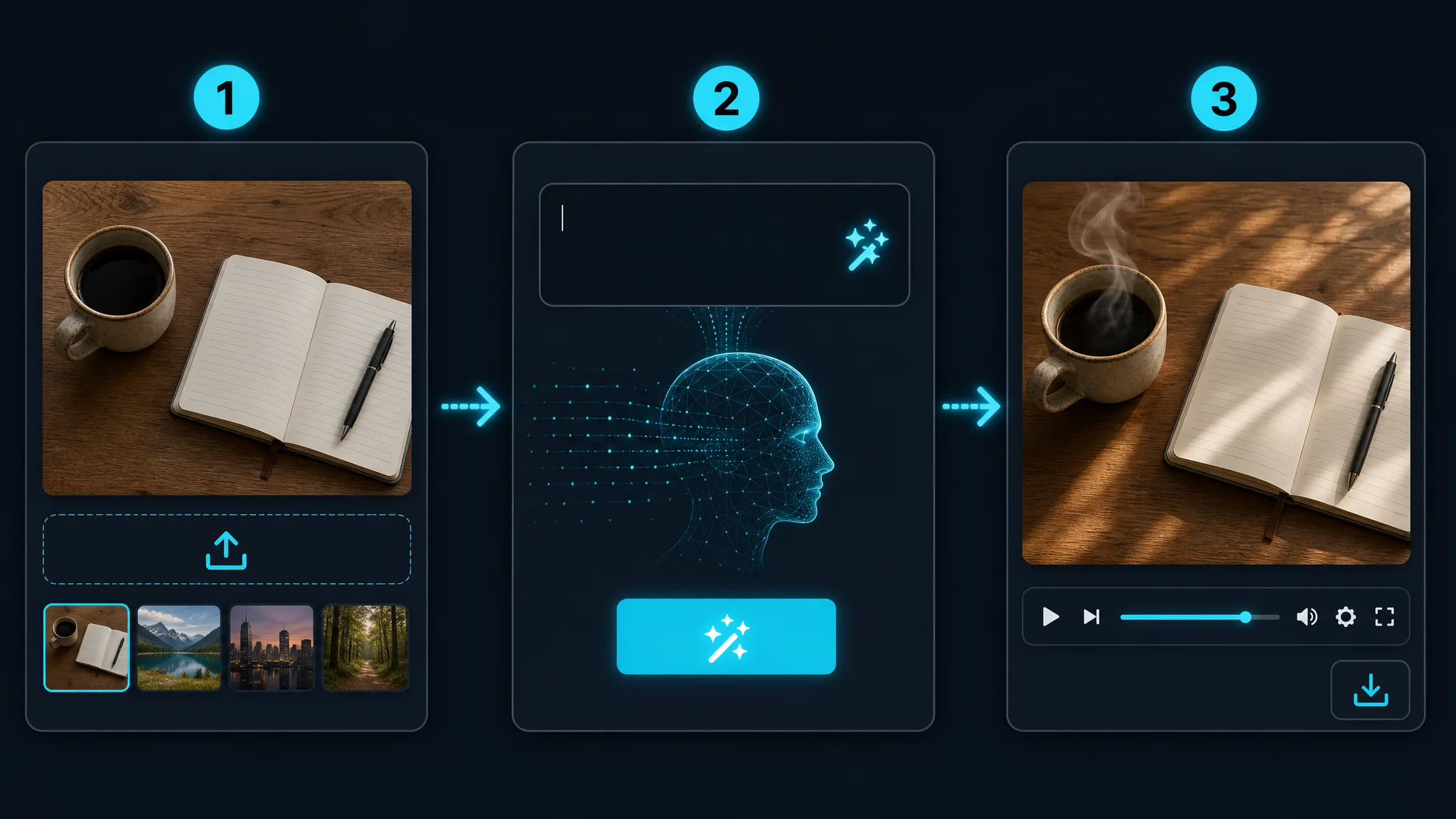
Sign in with Google and upload any JPG or PNG you already have — a photograph you shot, a product frame from your catalogue, or artwork generated in another tool. imgvid animates images; it does not create them, so the source picture always comes from you.
One sentence is enough direction: name the subject motion and the camera behaviour, such as a slow orbit with fabric catching the wind. Then choose an AI model and the aspect ratio you need, since picking it now avoids a re-crop later.
The model generates fresh frames from your single image and returns a playable clip, usually within a minute. Watch it back, adjust the prompt and rerun if the movement missed the mark, then download the finished video clean.
Honest comparison
Raphael AI is a broad, all-in-one creative suite. imgvid is narrow on purpose — it does the animation step and nothing else, which is worth knowing before you pick one.
imgvid has no image generation and no photo editor. If you need a picture created or retouched from scratch, this is not the tool. If you already have the picture and want it moving, this is precisely the tool.
Upload an imageThe render invents new frames inside your photograph, so subjects move and the camera travels through the scene. That is a different thing from sliding a crop window across a static file and exporting it as video.
See the motionGeneration runs on credits. Eligible Google accounts get free signup credits with no card required, and exports are watermark-free from the start — but imgvid is a credit-based product and does not claim to be unlimited.
Check your creditsWhere imgvid fits
imgvid is an independent product and is not Raphael AI. It covers the animation step of a creative workflow, and it is worth using when that step is the part you actually need.
Doing a single job means the interface stays small: upload, prompt, render. There is no suite to navigate and no unrelated feature competing for the screen.
Veo 3.1, Runway Gen-4 Turbo, Kling 3.0, Seedance 2.0, and Wan 2.7 are all available behind one login, so the render can match the subject and the budget.
Renders usually finish inside a minute, which makes running the same photograph through three different prompts a practical habit rather than a lost afternoon.
Photographs, product frames, sketches, scans, and art generated in any other tool all animate. Nothing in the pipeline cares where the image originally came from.
Pick vertical, square, or widescreen before rendering so the finished clip fits Reels, Shorts, a feed post, or a website hero without further cropping.
Downloads carry no imgvid watermark, so a finished clip can go straight into a campaign, a storefront, or a client deliverable.
Typical jobs
These are the situations where starting from a photograph is faster, cheaper, or simply the only option available.
Keep a short-form feed publishing when there is no new footage, by animating a photograph you already have on file.
Give a catalogue image movement so a storefront tile or paid placement earns a second of extra attention.
Add a slow push-in to a headshot for a channel intro, a conference slide, or an animated profile picture.
Move an illustration or a rendered concept so a portfolio entry plays as a short loop instead of sitting still.
Give a scanned family picture subtle, believable movement so an old print becomes something worth sending round.
Turn a scenic frame into a quiet loop for a site header, an event screen, or a stream holding card.
Common questions
The phrase describes using Raphael AI to produce video, usually from a text prompt or an existing image. People searching it are generally after the animation step rather than the whole suite. imgvid covers that step on its own: you supply a picture, describe the motion you want, and the model renders the frames in between so the still becomes a short clip.
No — imgvid is an independent tool, is not Raphael AI, and has no affiliation with it. It is an alternative for one narrow task — animating an image you already have — and it runs on its own set of video models.
No — imgvid has no image generation and no image editing. Raphael AI is a broader suite that covers creating and retouching pictures; imgvid only animates a picture you upload. If you generated art elsewhere, bring it here and turn it into video, but the image itself must already exist.
Generation requires a Google sign-in so credits, uploads, and render history stay tied to you. Eligible Gmail and googlemail accounts receive free signup credits, meaning the first clips cost nothing and no card is needed. Each render spends credits, so sustained use eventually needs a top-up.
No — imgvid runs on credits and does not offer unlimited rendering. Being direct about that matters more than a bigger promise: you start with free signup credits, you can see what each render costs, and you decide when to add more. Nothing is throttled behind a claim that turns out to have conditions.
No — exports are watermark-free. A clip rendered from your own image comes back clean and is yours to publish in ads, listings, and social posts. Confirm you hold the rights to whatever you upload, which matters most for pictures of other people, licensed artwork, and branded goods.
A sharp, high-resolution picture with one clear subject animates most convincingly. Portraits, products, pets, landscapes, drawings, and restored scans all work. Even lighting and an uncluttered background help, because the model then has an obvious subject to move and fewer competing details to rebuild frame by frame.
Vertical 9:16, square 1:1, and widescreen 16:9 are all available, each producing a clip a few seconds long. Set the ratio before rendering so the output matches its destination, whether that is Reels and Shorts, a feed post, or a YouTube upload. Needing two formats simply means rendering the image twice.
More tools
Sign in with Google, upload an image, and download a clean clip in minutes — free signup credits, watermark-free, no suite to learn.
Try the raphael ai video generator alternative