Bulin 47 AI Video

Upload one clear photo and star in the Bulin 47 freestyle at the red-lit entrance, beat included.

Upload Your Photo0/1
Styling note (optional)
0/300
Aspect ratio
Resolution
Number of outputs
Public Visibility
Required credits
368
Sample videos

Bulin 47 AI Video Generator for Viral Freestyle Clips

Your photo. One red-lit entrance. The Bulin 47 AI freestyle everyone is remaking.

In October 2026 a dembow freestyle rapped straight into a handheld phone at a red-lit venue entrance became the Bulin 47 AI trend, and now everyone wants their own take. Upload one clear, front-facing photo and the page builds the rest: the red-lit stairs and glass railings, a friend holding a portable speaker with the beat, fans pressing in with their phones and the handheld vertical camera. You become the performer in an approximately 10-second vertical clip with the scene’s sound, ready for TikTok, Reels or Shorts. Skip the prompt and the editing timeline, and step into the freestyle with the Bulin 47 AI video generator.

Make My Bulin 47 Video
Young woman in sunglasses and a pink mesh shirt freestyling at a red-lit venue entrance as a friend holds a speaker
One Photo Upload|No Prompt Writing|Venue Scene and Beat|Vertical Clip for Reels

How to Make a Bulin 47 AI Video

This Bulin 47 AI tutorial shows how to make Bulin 47 AI video clips from a single photo, from choosing the right picture to checking the finished freestyle before you share it.

1

Pick a Clear Photo

Choose one photo of one person with the face turned toward the camera, eyes visible and even light. A selfie or a waist-up shot works well for the Bulin 47 AI video generator, because the face guides who performs the freestyle. Crop out other people so the performer is obvious.

2

Upload It to the Generator

Click Upload Your Photo in the workspace above and add your picture. The Bulin 47 AI video generator already holds the red-lit entrance, the crowd, the handheld camera and the beat, so your photo is all it needs. If you like, add a styling note of up to 300 characters, such as a red tracksuit.

3

Generate Your Freestyle

Press Generate in the workspace. The default MiniMax H3 model renders at 768P, with 2K selectable in the workspace for a sharper frame. The Bulin 47 AI video generator returns an approximately 10-second vertical clip of you performing the freestyle, with the scene’s sound.

4

Check the Face and Share

Play the clip and check that the face, hair and outfit look like your photo. When the take feels right, download it and post it to TikTok, Reels or Shorts. For a fresh variation, upload a clearer picture or change the styling note and generate again.

Turn One Photo into the Viral Freestyle

The Bulin 47 AI generator turns a single portrait into the performer at the red-lit entrance. Each row below covers one part of the template and what it adds to your clip.

One Photo Is All the Bulin 47 AI Video Generator Needs

Your face is the only input. Upload one clear, front-facing photo of one person and the Bulin 47 AI video generator casts you as the freestyle performer at the red-lit entrance, using your face, hairstyle and outfit as the reference. Selfies, waist-up portraits and well-lit phone pictures all work, and the same photo can be reused later with a new styling note.
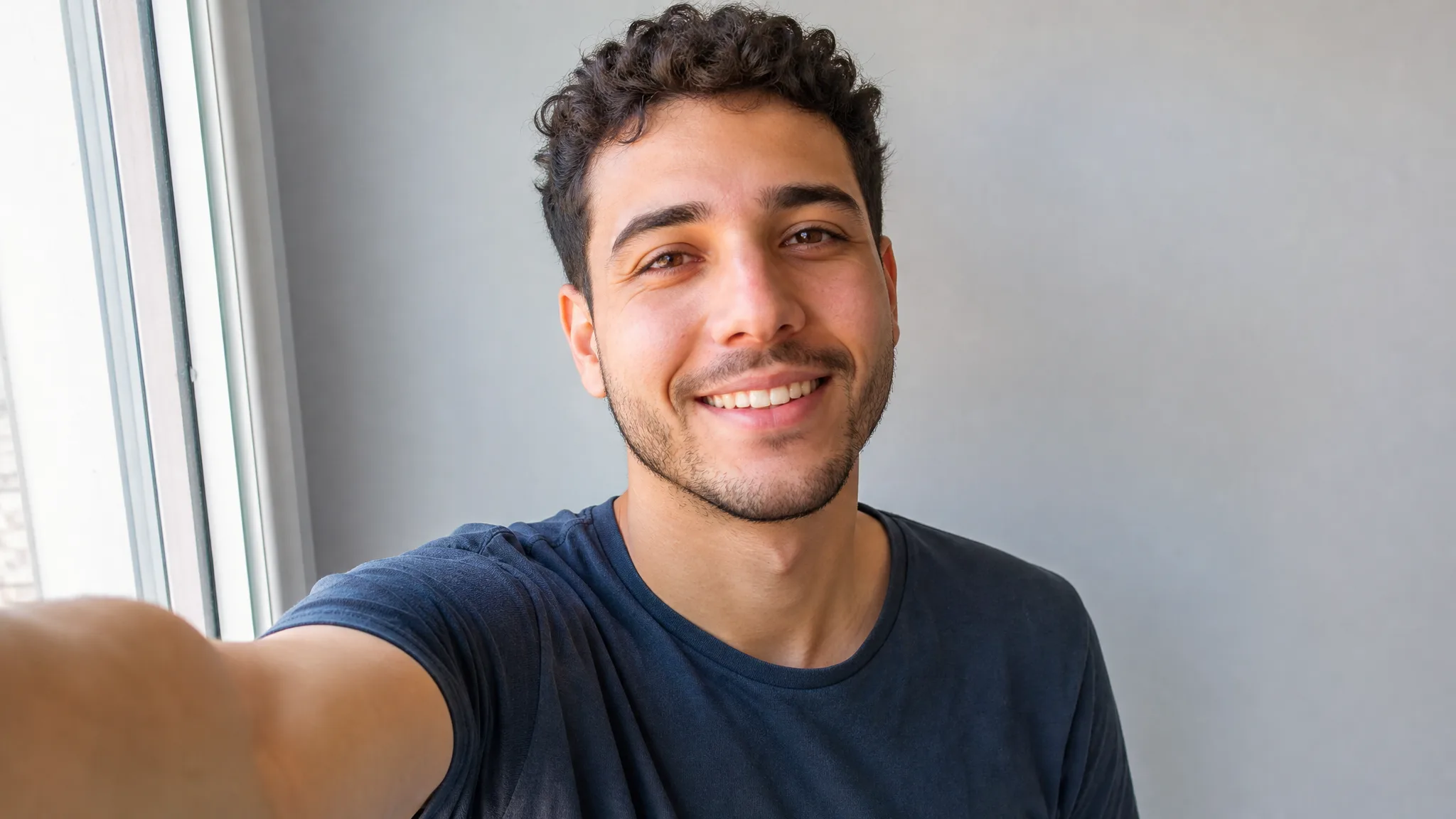
Smiling man with short curly hair taking a clear front-facing selfie in soft daylight

A Ready-Made Bulin 47 AI Template

The scene direction is already written. The Bulin 47 AI template holds the camera movement, the crowd reactions and the freestyle timing, so the Bulin 47 AI video generator needs only your picture. Want a twist? Add a short styling note, such as gold chains or a football shirt, and the template keeps the entrance, the crowd and the performance in place.

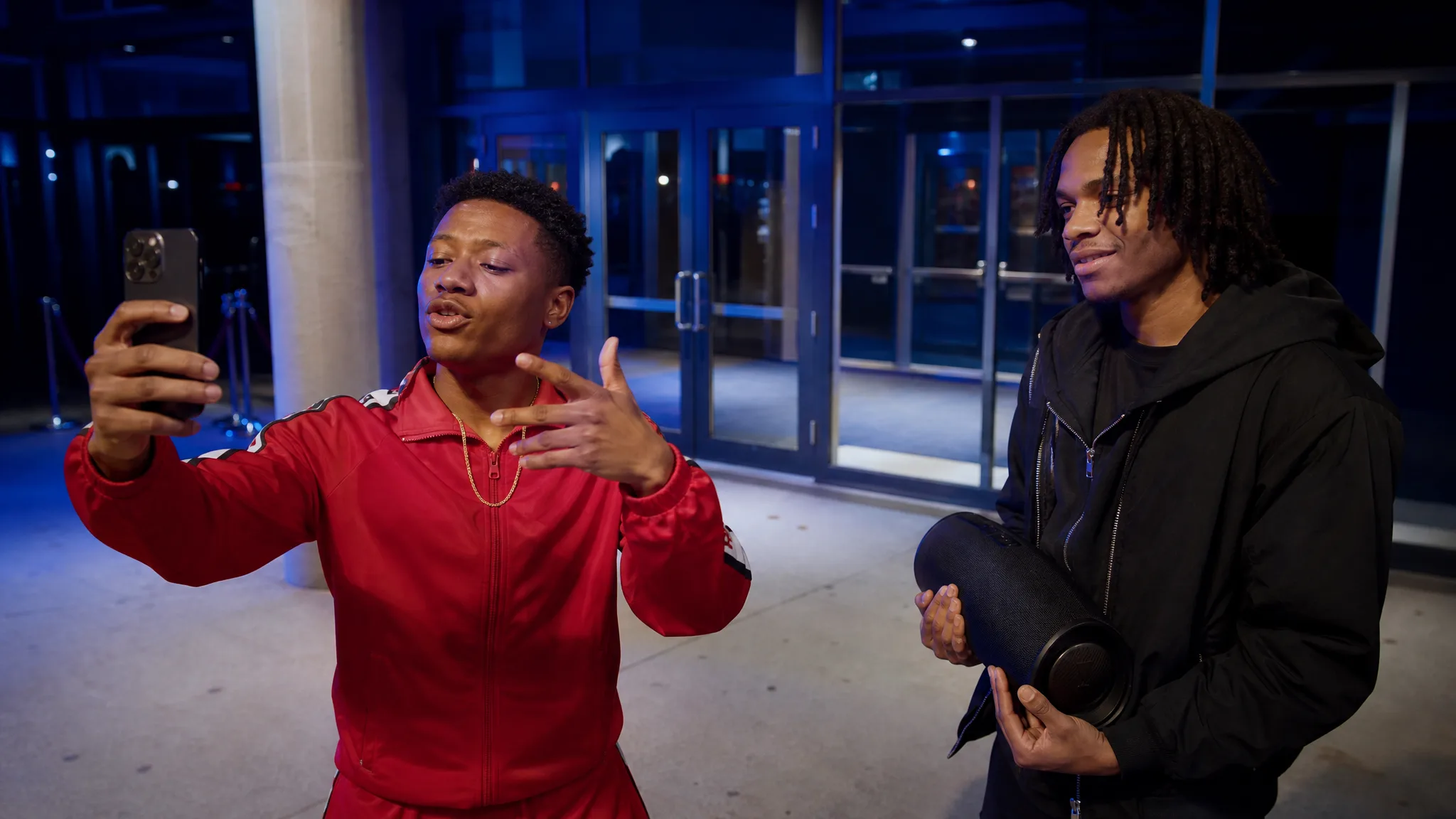
Performer in a red tracksuit and gold chain freestyling at a venue entrance under cool blue light as a friend holds a speaker

The Venue Scene and Dembow Beat

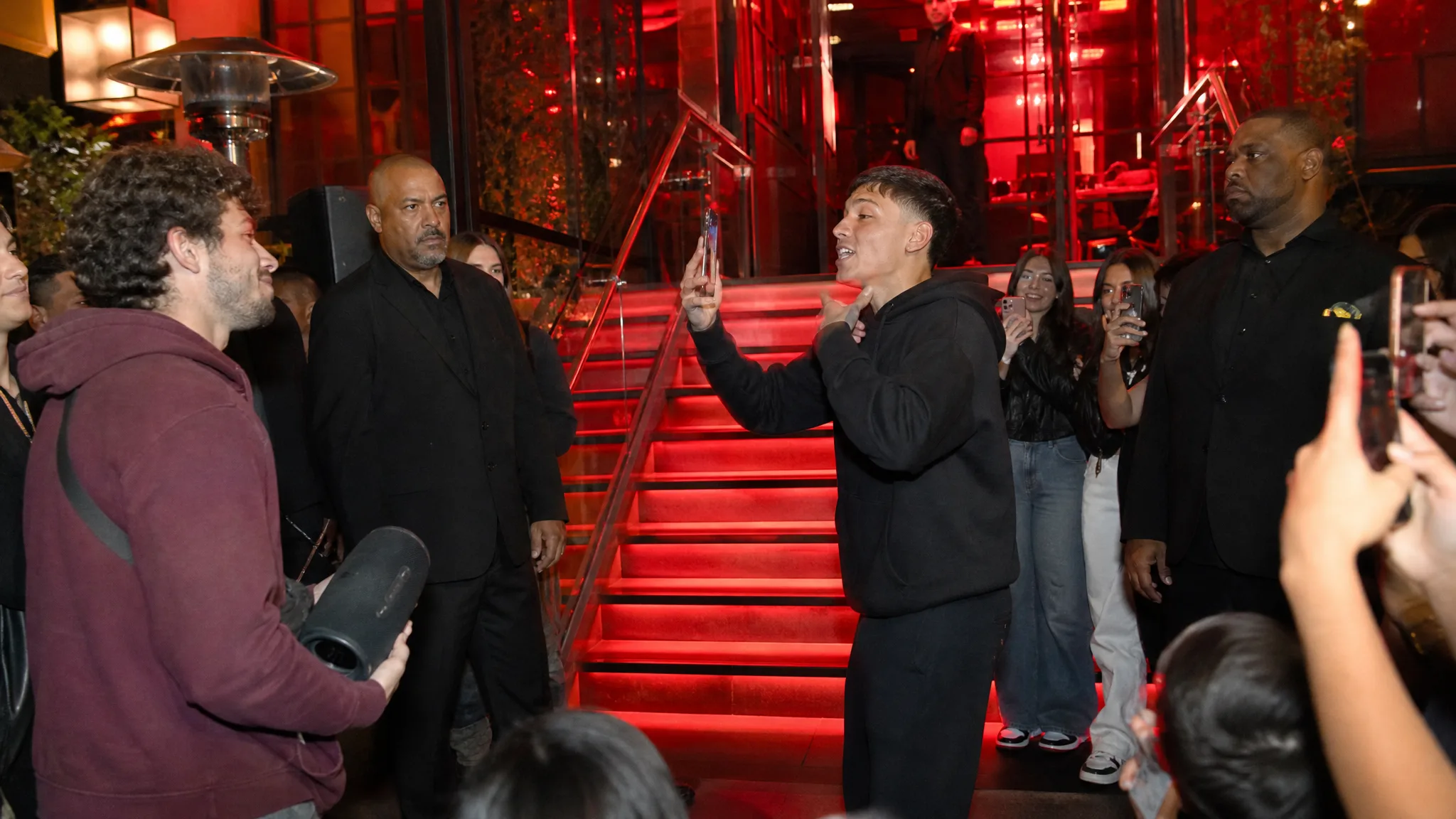
Put yourself in the Bulin 47 freestyle: a red-lit venue entrance with stairs and glass railings, a friend holding a portable speaker that plays the beat, security nearby and fans pressing in with their phones. The Bulin 47 AI video generator places you at the center, rapping straight into a handheld vertical camera, and the clip carries the scene’s dembow beat and crowd sound from the first second.

Wide view of a red-lit entrance with stairs and railings, a performer rapping, a man holding a speaker and fans filming

A Vertical Clip Ready to Post

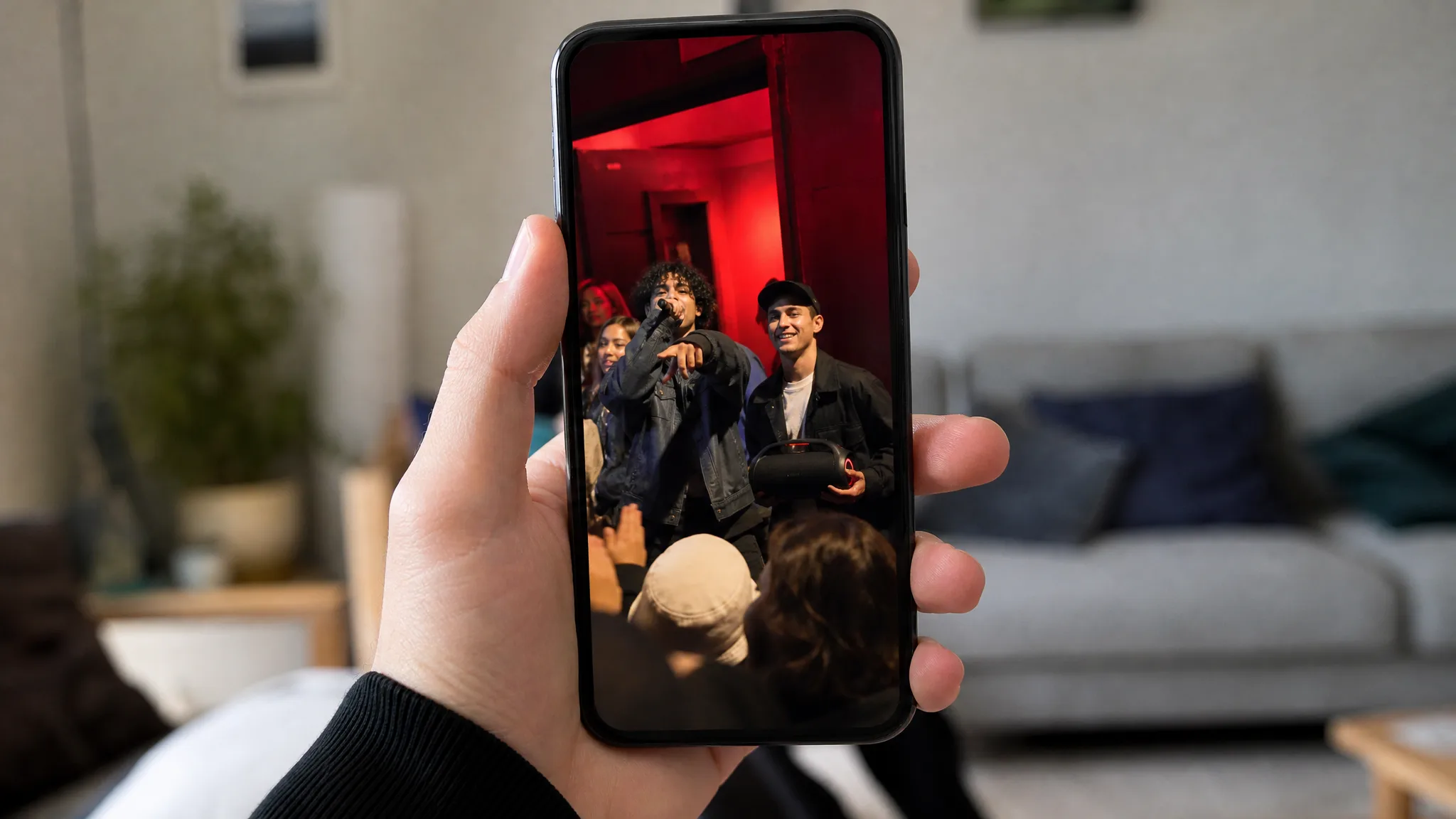
Every take comes out as an approximately 10-second vertical clip, the shape TikTok, Reels and Shorts expect. As a Bulin 47 AI video maker, the page delivers a finished post rather than a project file: download it, add a caption and share it while the trend is climbing. The default MiniMax H3 model renders at 768P, with 2K available as a paid option.

Hand holding a phone that plays a vertical clip of the entrance freestyle, with a softly blurred room behind

Who Makes Bulin 47 AI Videos

Bulin 47 trend AI clips suit anyone who wants to join the moment quickly. Here is who reaches for the entrance freestyle and what each one makes from a single photo.

Trend Creators Posting the Freestyle

Creators who post a trend every day can turn one selfie into their own take on the freestyle while the trend is still climbing. The Bulin 47 AI video generator handles the scene and the beat, leaving the creator free to write a caption, pick hashtags and post the vertical clip to TikTok or Reels.

Friends Planning a Surprise

Put a friend in the freestyle for a birthday, a send-off or a group-chat joke. Upload a clear photo they are happy to share and the Bulin 47 AI video generator turns it into a freestyle performance the whole group can replay, caption and pass around.

Dance and Music Teachers

Dance and music teachers can open a class or promote a workshop with a Bulin 47 freestyle AI version of themselves. One teacher photo becomes a freestyle performance with the beat built in, a lively hook for a studio Reels page or a class announcement.

Fan Pages Joining the Trend

Fan pages for football clubs, music scenes and local teams can use the Bulin 47 AI video generator to put an admin photo into the trend. A jersey or club scarf in the styling note ties the freestyle clip to the page’s identity before the page shares it.

Original Characters in the Freestyle

Artists with an original character can drop it into the freestyle for a Bulin 47 rap AI clip. A clear, front-facing drawing or 3D render of one character gives the generator a face to follow, and the crowd, the handheld camera and the beat make the character part of the trend.

Creative Scenarios with Bulin 47 AI Video Generator

Ways different creators might use the Bulin 47 AI video generator, from a daily trend post to a birthday surprise and a release teaser.

My account covers a new trend every day, so I’d upload one sharp selfie to the Bulin 47 AI video generator and skip prompt writing entirely. Before posting, I’d check that the face still reads as me, then add my caption and join the Bulin 47 AI trend on TikTok that same evening.

Trend Video Creator
Creative workflow

Bulin 47 AI Video Generator FAQ

Quick answers about the Bulin 47 AI trend, the photo to upload, the built-in template, the sound and length of each clip, and how to get a stronger result.

The Bulin 47 AI video generator is a ready-made template that turns one photo of a person into the viral freestyle. You upload the picture, and it returns an approximately 10-second vertical clip with you performing the freestyle, the crowd around you and the scene’s sound.

The Bulin 47 AI trend grew out of a viral Bulin 47 video from October 2026: a dembow freestyle rapped straight into a phone at a red-lit venue entrance, with a friend holding a portable speaker and fans filming on phones. People now remake it with themselves as the performer, searching for a Bulin47 AI video or a Bulin 47 AI filter to join in.

Yes — the Bulin 47 AI video generator counts as free-tier generation at its default 768P setting, so a Bulin 47 AI free take needs only enough credits for the quote the workspace shows before generating. 2K is a paid option. Free generations include an ImgVid watermark; eligible paid generations export without it.

A clear, front-facing photo of one person works best for a Bulin 47 AI video. Keep the eyes visible, the light even and the face large enough to read; a selfie or a waist-up shot is ideal. Crop other people out so the generator knows who should perform.

The Bulin 47 AI template already contains the venue scene, the crowd, the camera movement and the beat, so your photo is all it needs. You can add an optional styling note of up to 300 characters, such as a red tracksuit and a gold chain, to change the outfit. The default model is MiniMax H3.

Yes — a friend, a family member or an original character you drew can star in a Bulin 47 freestyle AI clip, as long as the photo shows one clear, front-facing face. Try a friend in a football shirt for a birthday post, or a comic hero for a fan page, and add a styling note to match the look.

Every Bulin 47 AI video comes with the scene’s sound, including the dembow beat and the crowd, so it is ready to post without extra editing. Each take runs about 10 seconds in a vertical frame that fits TikTok, Reels and Shorts, at 768P by default with 2K as a paid option.

Start with a sharp, front-facing photo of one person in soft, even light, with the face filling a good part of the frame. Keep the styling note short and specific. For a fresh variation, upload a clearer picture to the Bulin 47 AI video maker and generate again.

Make Your Bulin 47 AI Video Today

Upload one clear photo, let the Bulin 47 AI video generator build the red-lit entrance, the crowd and the beat, and download a vertical freestyle clip ready for TikTok, Reels and Shorts. It runs right in your browser like a Bulin 47 AI app, so your version can go up while the trend is still climbing.

Create My Freestyle Video
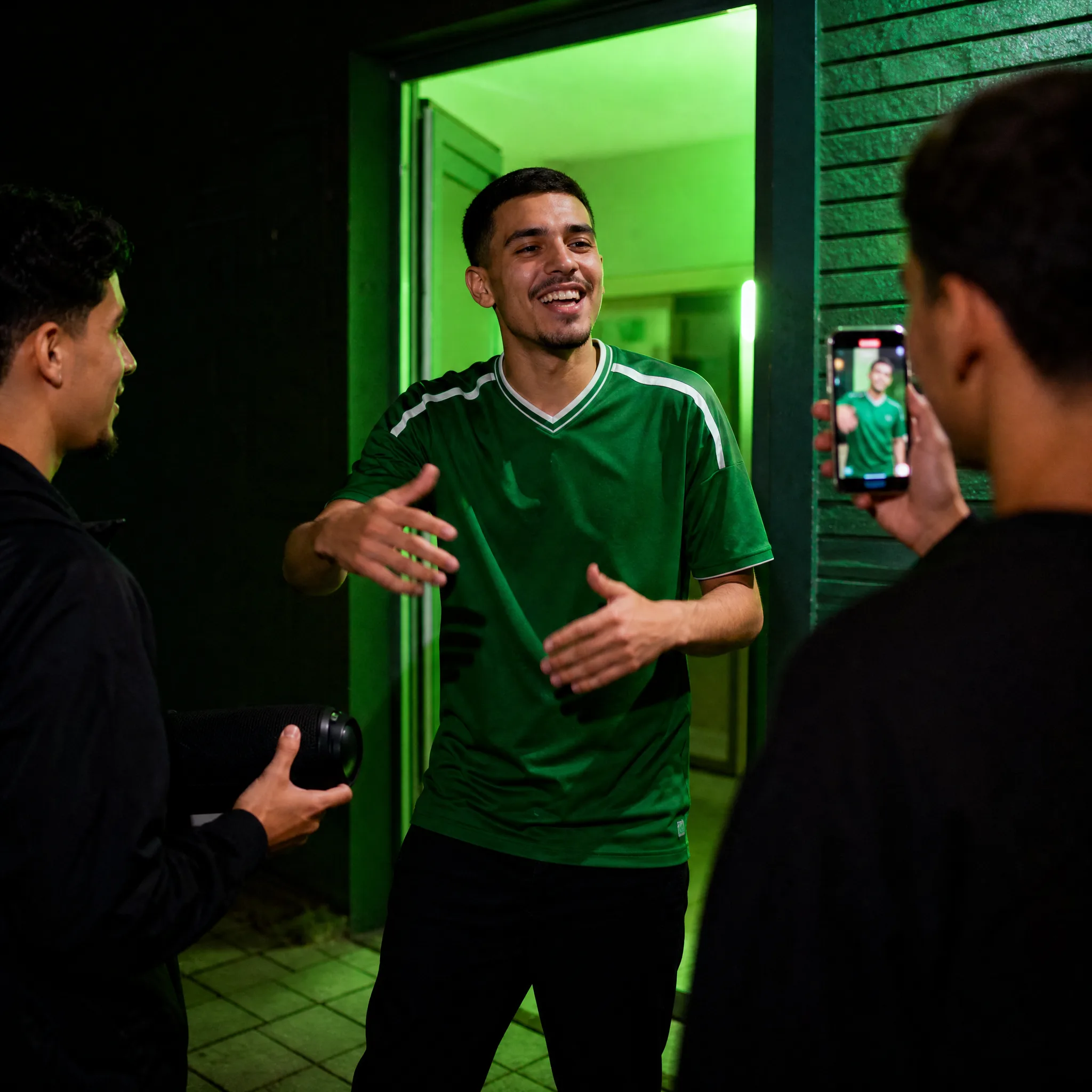
Grinning man in a plain green jersey freestyling at a green-lit doorway as a friend holds a speaker and another films