Write a Prompt with AI

Type a rough idea in a few words. AI turns it into a full video prompt with a subject, motion, camera and lighting that you can edit.

Viral Video Prompt Examples You Can Copy

Each card shows the full prompt, the model that ran it and the clip length. Every clip was generated from the exact text on its card; we only resized it for the web.

Prompt:

Runway Gen-4 Turbo · 5s · 16:9

Extreme macro close-up of a kitchen knife slowly slicing through a translucent strawberry made of glass, the blade sinks in and the fruit splits cleanly to reveal a glowing amber honey core that drips onto a black marble board. Crisp highlights and caustic reflections, shallow depth of field, locked-off camera, dark moody studio lighting, ultra-detailed ASMR food commercial look.
Use

Prompt:

Runway Gen-4 Turbo · 5s · 16:9

Tilt-shift miniature scene on a sunlit kitchen counter: a crew of tiny toy-sized chefs in white hats haul a giant lettuce leaf with ropes and lower it onto a slice of bread, one chef waves at the camera. Slow push-in from a low angle, warm morning window light, playful stop-motion feel, highly detailed miniature figurines, vivid colors.

Use

Prompt:

Runway Gen-4 Turbo · 5s · 16:9

A corgi wearing a tiny red life vest rides a surfboard down the face of a glassy turquoise wave at golden hour, ears flapping, spray sparkling behind it. Tracking shot from the water at board level, slow motion, warm backlight, cinematic sports documentary look, photorealistic.

Use

Prompt:

Runway Gen-4 Turbo · 5s · 16:9

A white paper origami crane resting on an old wooden desk twitches, unfolds its paper wings and turns into a real white bird that lifts off and flies out of an open window into a bright sky. Smooth continuous shot, the camera follows the bird upward, soft natural daylight, magical realism, seamless transformation.

Use

Prompt:

Runway Gen-4 Turbo · 5s · 16:9

First-person POV from the very first frame, camera mounted on the skydiver's own helmet, single continuous shot with no cuts: the skydiver's gloved hands and forearms reach into the bottom corners of the frame while free-falling toward a turquoise lagoon ringed by white sand and coral reefs far below, thin clouds rush up past the lens. No aircraft, no other people, no third-person view. Wide fisheye action-camera look, bright midday sun, wind shake.

Use

Prompt:

Runway Gen-4 Turbo · 5s · 16:9

A matte black wireless speaker stands perfectly still in the center of the frame on a round pedestal while a wave of water crashes around it and freezes mid-air into crystal droplets. The speaker keeps the same shape, size and position for the whole shot, nothing covers it. Slow orbit of the camera, dark studio with a single blue rim light, premium product commercial.

Use

Prompt:

Runway Gen-4 Turbo · 5s · 16:9

A fluffy hamster wearing a tiny chef's apron stands at a miniature stove and flips a small golden pancake in a doll-sized pan, the pancake spins in the air and lands perfectly, the hamster looks proudly at the camera. Close-up at table height, cozy warm kitchen light, shallow depth of field, cute photorealistic.

Use

Prompt:

Runway Gen-4 Turbo · 5s · 16:9

Grainy 1990s VHS home video recorded at dusk: heavy tape noise, rolling tracking lines, color bleeding and a soft low-resolution image, shaky handheld camera with a sudden crash zoom. A silent metallic flying saucer with a ring of pulsing white lights hovers low over a cornfield, wobbles in place, then darts sideways across the sky and vanishes in a flash. No smoke, no exhaust trail, no rocket. Faded colors, eerie found-footage feel.

Use

Prompt:

Runway Gen-4 Turbo · 5s · 16:9

A polished chrome ball rolls through an elaborate marble run built from colorful transparent glass tubes, spirals and tiny ramps, it drops through a funnel and lands with a satisfying click in a glass bowl. Smooth tracking camera that follows the ball, clean white studio background, soft reflections, oddly satisfying macro detail.

Use

Prompt:

Runway Gen-4 Turbo · 5s · 16:9

Tilt-shift timelapse of a busy town square seen from a high rooftop, the whole scene looks like a miniature toy model: tiny cars and buses zip around a roundabout, crowds of tiny people stream across the crosswalks, and building shadows sweep quickly as clouds race overhead. Strong tilt-shift blur at the top and bottom of the frame with a sharp focus band in the middle, bright saturated toy-like colors, locked-off camera, fast-forward motion.

Use

Prompt:

Runway Gen-4 Turbo · 5s · 16:9

Glowing orange lava flows over black volcanic rock and pours into crashing ocean waves at night, a huge burst of white steam rises and lit sparks fly. Low angle close to the water, slow motion, dramatic contrast between fire and sea, cinematic nature documentary look, photorealistic.

Use

Prompt:

Wan 2.7 · 5s · 16:9

A giant fluffy orange cat the size of a building sleeps curled on the rooftop of a glass skyscraper at sunrise, its tail slowly swishes over the edge as tiny cars move on the streets below. Aerial helicopter shot circling the tower, warm golden light, hazy city skyline, photorealistic scale illusion.

Use

AI Prompts for Viral Videos (With the Clips They Made)

Find a visual hook for your next short: a miniature kitchen, a surfing corgi or a surreal product reveal. Each prompt is paired with the clip it made on ImgVid. Copy a starting idea, open it in the same model and change the scene to suit your story.

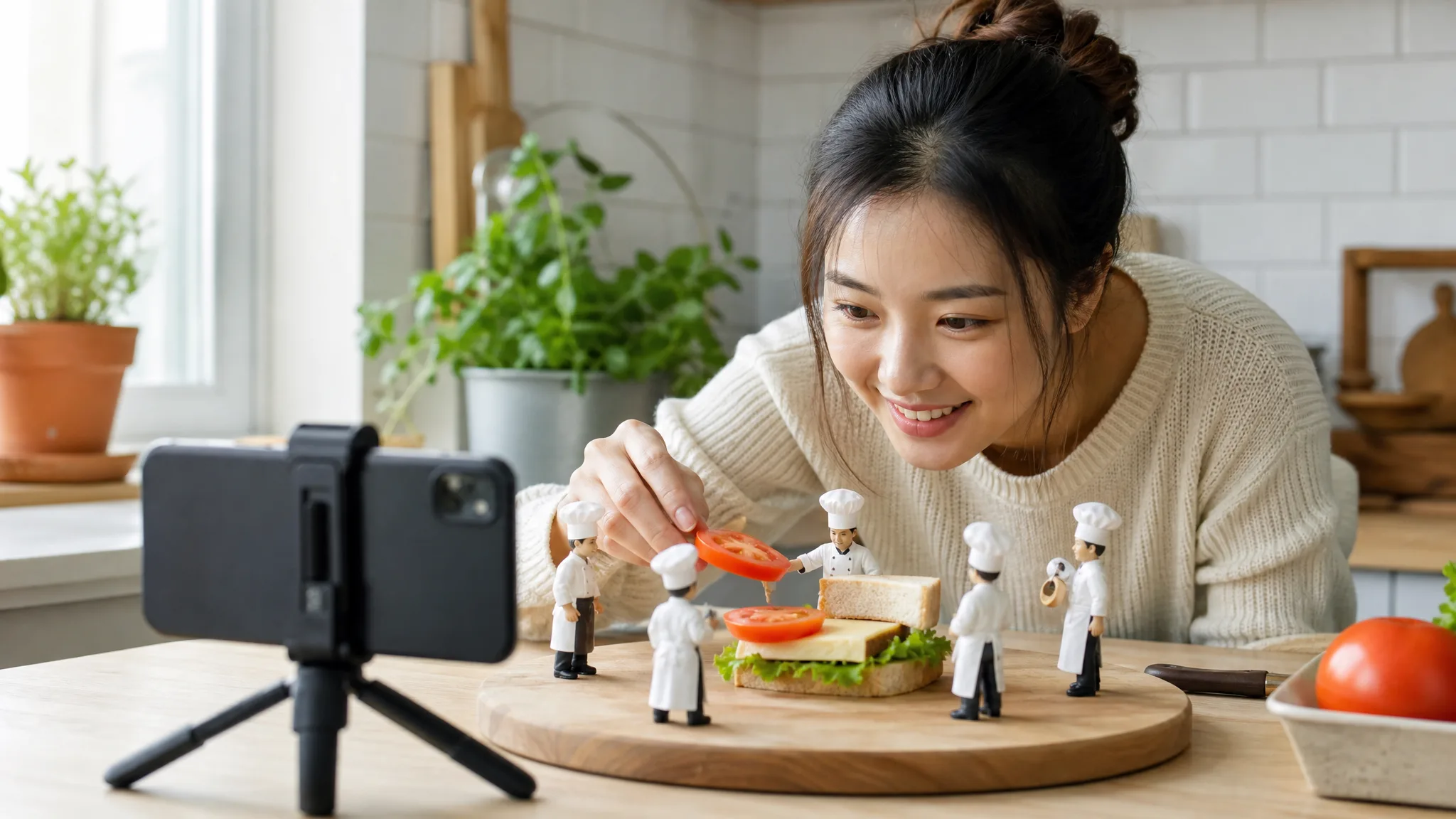
Start with a moment viewers can understand immediately: a tiny crew building a sandwich, an unexpected transformation or a satisfying close-up. An AI prompt for creating viral videos on YouTube turns that hook into a subject, action and camera view. Use these examples to develop your own opening; distribution depends on the finished video and its audience.

Browse the prompts
Creator at a kitchen counter staging tiny chef figurines building a sandwich, a phone on a mini tripod framing it

How to Write Your Own Prompt for a YouTube Video

Begin with one of the AI prompts for viral videos whose scene or camera fits your idea, then change the subject and action. Keep a clear shot structure so each new take shows which description works for your story.

1

Pick a structure

Choose the example closest to your idea and copy it. In AI prompts for viral videos, the order of hook, subject, motion, camera and look is the part worth keeping.

2

Swap the details

Replace the subject, setting and action with your own, one at a time. Keep the camera and light words unless you want a different feel.

3

Generate and compare

Press Use to open one of these AI prompts for viral videos in the same model, click Generate and follow the job status until the clip is ready. Then change one phrase per try so you can see what each change does.

The Viral Video Prompt Formula: Hook, Subject, Motion, Camera, Look

Build a viral video prompt around a hook, subject, motion, camera and look. Together they explain what makes the moment interesting, what happens on screen and how the audience sees it.

Hook and subject

In AI prompts for viral videos, the hook is the thing a viewer has never seen, stated in the first words. In the miniature chefs prompt it is a crew of toy-sized chefs; the subject is the sandwich they build.

Name the subject and add a useful size, material or color. Those details make the intended scene clearer and give you something concrete to refine after the first take.

Motion and camera

Describe one action with a clear start and end, such as a corgi riding a surfboard down the face of a wave. Then say where the camera is and how it moves: a tracking shot at board level, in slow motion.

When you adapt AI prompts for viral videos, a locked-off camera suits close-ups and satisfying details; a tracking or orbit shot suits action.

Look

Finish with light and style: time of day, light source and a genre such as a nature documentary look. That ending is why the lava clip reads as real footage instead of a cartoon.

More prompt writing tips:

How to Keep a Product on Screen in an AI Video

Put the product at the center of the brief: describe its shape, material and position, then explain how the camera and surrounding effects move. This gives the shot a clear focal point and helps you judge which take keeps the product readable.

The speaker example does exactly this. Water crashes and freezes around the speaker, while the speaker itself never moves or changes.

Put the product in the center, describe its material and color, and let the camera orbit slowly instead of cutting. Splashes, smoke or sparks should move around the product, not across it.

Viral Video Prompt Ideas for Your Next Story

Match the opening of your AI prompts for viral videos to what your audience came to see: a reveal, a reaction, a satisfying detail or a world they want to explore.

Product reveals

Introduce a product through one clear action. Adapt AI prompts for viral videos that build anticipation with a close-up, then reveal the shape and setting in the opening shot.

YouTube Shorts

Give a short one visual hook that reads immediately. Adapt the subject and framing of AI prompts for viral videos for a vertical composition, then finish captions in your editor.

Satisfying close-ups

Explore a tactile moment such as a cut, pour or transformation. Describe the material, light and camera position so the detail carries the scene.

Playful animal stories

Combine a recognizable animal with an unexpected action. A surfing corgi or a giant city cat can become the opening beat of a playful social story.

Miniature worlds

Make ordinary objects feel extraordinary through scale. AI prompts for viral videos like the miniature chefs describe tiny characters, their task and the surface they work on, giving viewers a scene to discover.

Cinematic storyboards

Plan an opening, a detail and a closing shot around the same subject. Reuse the visual description across your AI prompts for viral videos and assemble selected takes into a story.

What Creators Say About AI Prompts for Viral Videos

The movement in my product opening was too vague to brief. Reading the AI prompts for viral videos helped me separate the camera move from the subject's action. I adapted one example around a rotating lamp, and the resulting clip gave our animation review a much clearer point of discussion.

Daniel Porter
Motion Designer

AI Prompts for Viral Videos FAQ

Learn how to adapt a viral video prompt, give the scene a focused action and build an idea around your subject. Find answers about copying prompts and developing them into your own short clips.

Yes — these free viral prompts for video generation can be copied and adapted in a compatible video tool. Generating a clip on ImgVid uses credits. Check the current quote and access requirements in the model picker before starting.

No — one viral video prompt makes one short clip, and available clip durations depend on the selected model, mode and settings. For a longer video, generate several clips with related prompts and join them in an editor.

Yes, when the selected model and mode offer 9:16; choose that ratio before you run the video prompt. The examples on this page are 16:9; a new vertical generation frames the scene differently. Keep the important subject and action near the center of your prompt.

Generative video can produce a different take from the same prompt. Wan 2.7 offers a seed control that can help you compare variations under the same settings; it does not guarantee an identical clip. Runway Gen-4 Turbo has no seed control here.

Start with the model named on the card, because that model made the clip from that viral video prompt. Use opens the prompt in that model directly, so you can use the same model as a starting point; the result may still differ.

A yt prompt is short for a YouTube prompt: a text description you give an AI video generator to make a clip for YouTube. Every prompt on this page can be used that way.

You can copy an AI video prompt from a card and paste it into a compatible text to video generator. The examples are plain English, so you can reuse the description and adapt it for another tool. Different models may interpret the same scene differently.

Turn a Prompt into Your Own Clip

Pick one of the AI prompts for viral videos, open it in the model that made it, and change one detail to make the clip yours.

Start with text to video