If you have seen people, pets, and grandparents remaking the Quavo & Takeoff "Hotel Lobby" performance on TikTok, you have seen the Hotel Lobby AI trend. This guide shows how to make hotel lobby AI video clips that actually look like the original: what the hotel lobby trend is, where the Hotel Lobby song comes from, the two-photo rule, a hotel lobby prompt you can paste, and the mistakes that ruin a clip.
What Is the Hotel Lobby Trend?
The hotel lobby trend remakes Quavo & Takeoff's "Hotel Lobby" performance from A COLORS SHOW with anyone you like. Two performers trade verses at one hanging mic, and AI swaps in new faces, pets, or grandparents. "Hotel Lobby" is the song title, not a hotel.
What makes a Hotel Lobby AI video instantly recognizable:
- The COLORS SHOW set. The plain studio set from the original Quavo and Takeoff Hotel Lobby performance.
- One hanging mic between the two performers.
- A duet. One performer raps while the other hypes them up, then they switch.
- One continuous take. No cuts, no camera moves.
On TikTok and Google, people search hotel lobby, hotel lobby ai, and quavo hotel lobby. Put "Hotel Lobby" and "Quavo & Takeoff" in your caption so your clip is found.
See image to video AI in action
Upload a photo, describe the motion, sign in with Google using an eligible Gmail or googlemail address, and generate with credits in your browser.
Try it freeThe Hotel Lobby Song and Video: Quavo & Takeoff (Unc & Phew)
The Hotel Lobby song is by Quavo & Takeoff of Migos, released in 2022 under the duo name Unc & Phew. The hotel lobby video everyone remakes is their live performance on A COLORS SHOW, uploaded by COLORS in June 2022.
Watch it once before you make your own version. Notice how the two rappers pass the spotlight back and forth, and how the camera never moves. That rhythm is what your AI remake needs to copy. The original is embedded from the official COLORS channel; imgvid is not affiliated with COLORS, Quavo, Takeoff, or Migos.
Why the Hotel Lobby Trend Keeps Coming Back
The hotel lobby trend is a format, not a one-week moment. The COLORS performance keeps resurfacing through reposts, and every time it does, a new wave of Hotel Lobby AI remakes follows. In September 2026 it spread again as AI remakes with an endless rotating cast.
Formats built on a fixed set, a fixed shot, and a swap-in cast are easy to remake and easy to recognize in the first second. That is why you are not too late: a funny pair beats perfect timing.
What You Need Before You Start
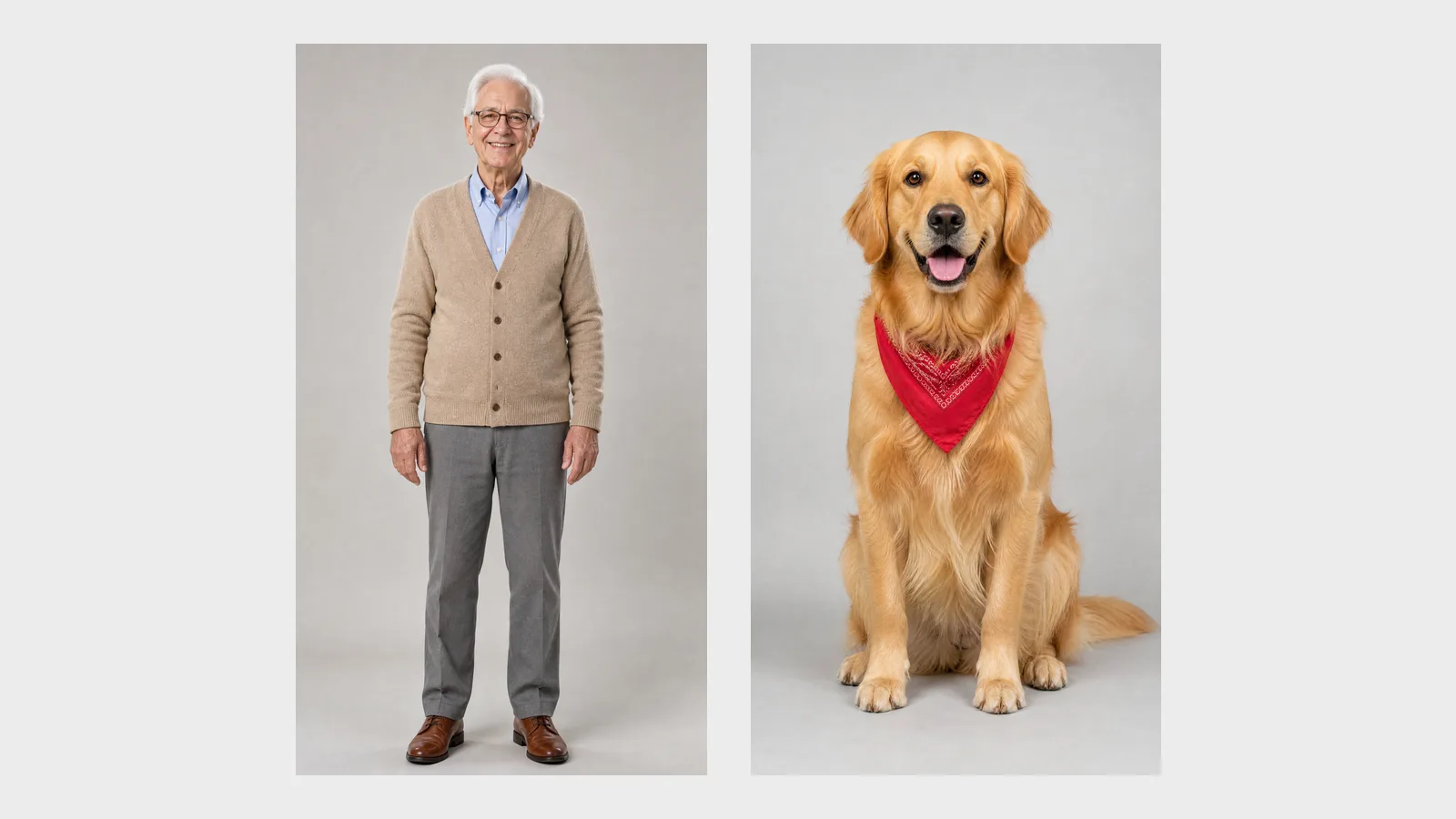
You need two separate photos, one per performer, and a Hotel Lobby AI tool that reads two reference images at once. That is the whole kit for how to make hotel lobby video clips; no editing software and no written prompt.
| What | Why it matters |
|---|---|
| Two separate photos | Each performer is read from their own picture, so faces never merge |
| Full-body or waist-up framing | Outfits and posture carry into the Hotel Lobby set |
| Front-facing, well-lit faces | Identity stays recognizable for the whole clip |
| A two-reference AI tool | Single-subject tools drop or freeze the second performer |
| The Hotel Lobby sound (optional) | Add it in TikTok or Instagram when you post |
Step 1: Prepare Two Separate Photos
Pick two photos, one subject each, full-body or waist-up, facing the camera, with even light. Crop group shots into two pictures before you upload anything.
Pets are welcome in the hotel lobby trend: a good tool stands them up at the mic like Quavo or Takeoff. Avoid sunglasses, heavy shadows, and screenshots of screenshots.
Step 2: Generate Your Hotel Lobby AI Video
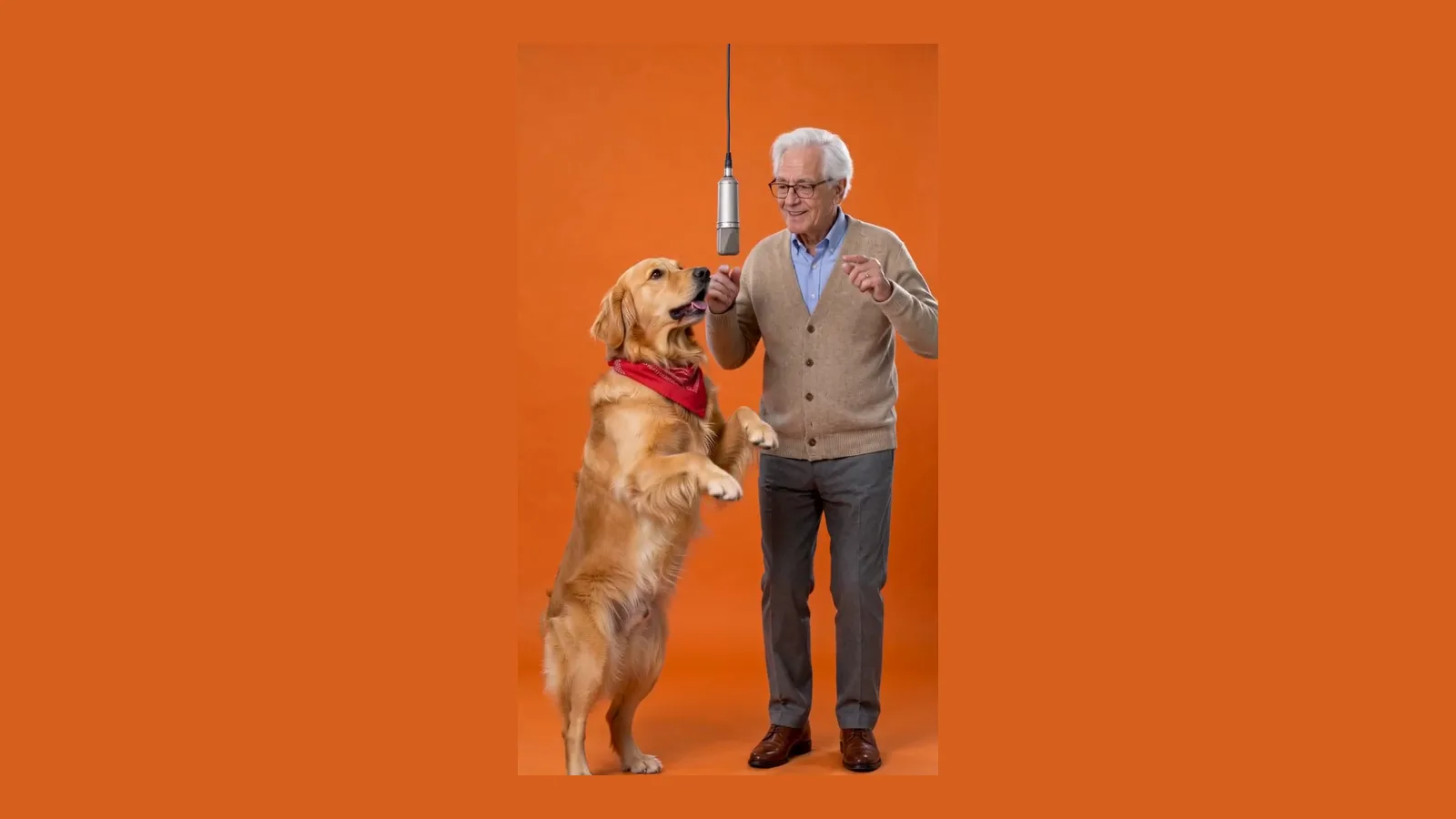
Upload the first photo for the left performer and the second for the right performer, then generate. A dedicated tool gives you a 15-second vertical clip in one click; a general model needs the hotel lobby prompt below.
On the Hotel Lobby AI video generator the Quavo & Takeoff routine is built in, so the photo to video step is just two uploads and an optional styling note. Pick 480p for a quick test and 720p when you like the pairing.
Step 3: Add the Hotel Lobby Song and Post
Check that both identities look right, then add the official Hotel Lobby sound from the TikTok or Instagram library and post. The AI clip comes with generated audio, not the original Hotel Lobby song, so the in-app sound is how you match the trend.
Label the clip as AI-generated when the platform asks, and tag it with Hotel Lobby and Quavo & Takeoff.
Turn your image into a video now
A photo, a prompt, and an AI video generated with credits. Eligible Gmail or googlemail accounts get signup credits — no install.
Get startedThe Two-Photo Rule
Always use two separate photos, never one group shot. The Hotel Lobby trend is a duet, and each performer needs a clean reference of their own.
Motion-control and "make this photo dance" tools are designed around one subject. Give them a group photo and they blend both faces into one, or animate one person while the other stands still like furniture. No prompt fixes that; it is the wrong tool. A two-reference model reads image one and image two as two characters, so each keeps their face and outfit even when they trade places at the mic.
Hotel Lobby Prompt (Copy-Paste)
If your AI video tool accepts two reference images, paste this hotel lobby prompt and attach your photos as reference image 1 (left) and reference image 2 (right). Keep it vertical and 15 seconds long.
A vertical 9:16 live studio music performance video in the style of
A COLORS SHOW. Two performers stand side by side on a plain studio set.
A single silver condenser microphone hangs on a thin cable from the top of
the frame, centered in the gap between them.
The LEFT performer is the subject from reference image 1.
The RIGHT performer is the subject from reference image 2.
Preserve the exact identity of each subject: face, hair, skin tone, body
shape, and clothing. If a subject is an animal, it stands upright on its
hind legs and performs like a person. Never blend the two subjects together.
Performance: a laid-back hip-hop duet. They take turns: one leans toward the
mic and raps with confident hand gestures while the other nods to the beat,
then they switch halfway through.
Locked-off medium-wide shot, both full bodies visible, one continuous take,
no cuts, no camera movement. Soft even frontal studio lighting.
No text, no captions, no logos, no watermarks, no other people.Change outfits and props in the prompt, never the set, the mic, or the camera. Those three are what make viewers recognize the Hotel Lobby trend in the first second.
Migos AI Video Ideas That Go Viral
The best Migos AI videos pair two subjects who would never perform together. Contrast does the comedy, so choose the pairing before anything else.
- You and your pet. The easiest viral Hotel Lobby AI video.
- Two grandparents. The family group chat classic.
- Two cats. The pairing that started the hotel lobby trend.
- A couple. Partners as Unc & Phew, funny and sweet at once.
- Boss and intern. Great for a team account, with both people's permission.
- You and your younger self. A childhood photo in one slot and a current photo in the other.
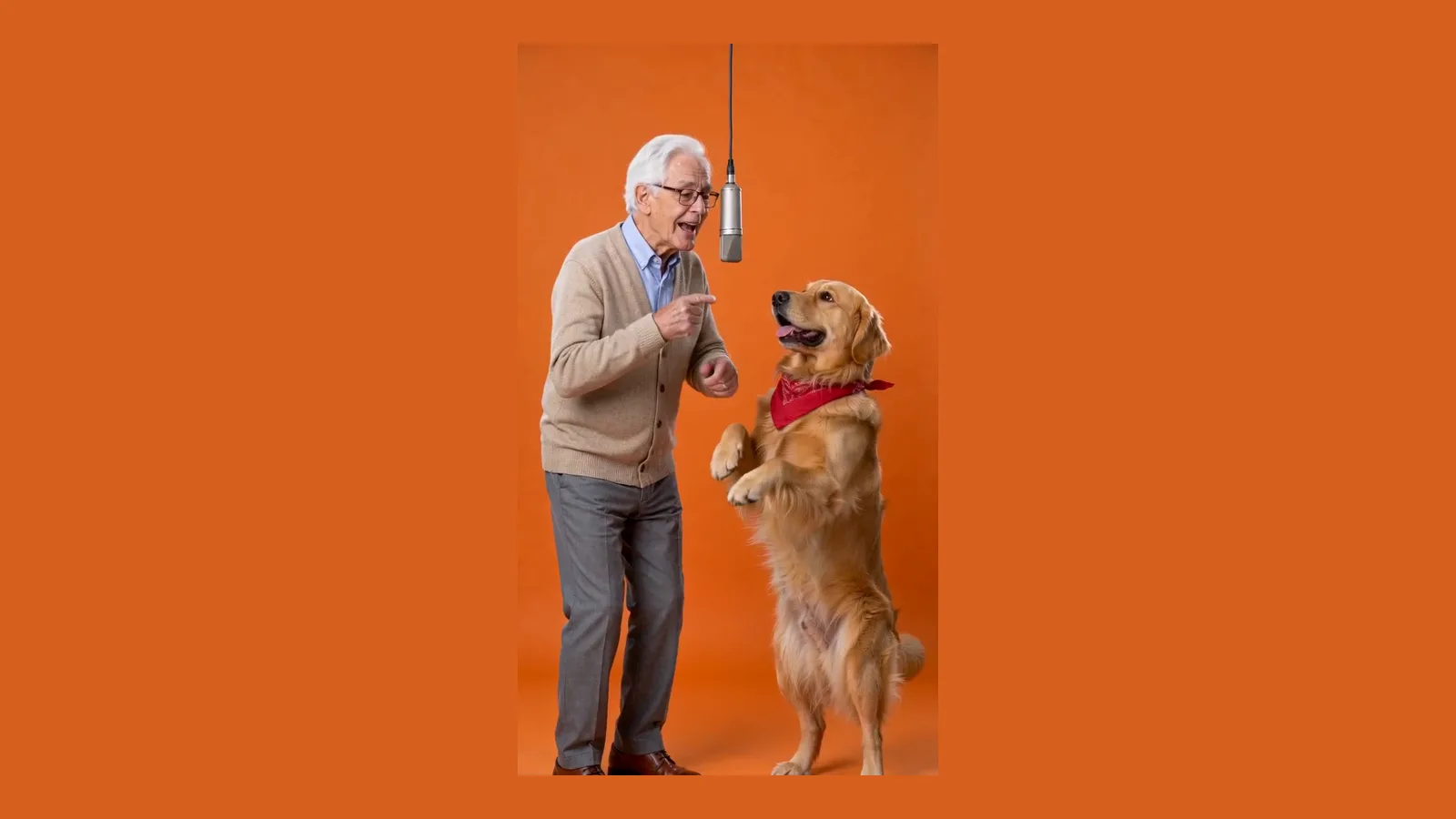
Under the hood every one of these is an image to video generation with two references, so the quality of each input photo sets the ceiling: a sharp, well-lit portrait gives the model more to keep.
How to Post a Hotel Lobby Video on TikTok and Reels
Post the clip with the official Hotel Lobby sound, a caption that names the trend, and a hook in the first second. Most views on the hotel lobby trend come from people who just watched another remake, so match what they already searched for.
- Use the official sound. Search "Hotel Lobby" in the TikTok or Instagram sound library and pick the Quavo & Takeoff original. Using the same sound puts your clip on the trend's sound page, where most discovery happens.
- Name the trend in the caption. "Hotel Lobby AI" plus who is in it: "my grandparents doing the Hotel Lobby trend" or "my cat and dog as Quavo & Takeoff". Viewers search those exact words.
- Tag it. #hotellobby, #hotellobbyai, #quavo, #takeoff, and #aivideo are the tags people browse for this format.
- Lead with the reveal. The first frame should already show both performers at the mic. If viewers have to wait for the joke, they scroll.
- Post the original photos in a second slide. On Instagram, a carousel with the two input photos after the video makes the "before and after" obvious and doubles watch time.
- Remake with a new pair. When one version lands, make the next one with a different pairing the same week. The hotel lobby trend rewards series.
The Hotel Lobby AI clip is only half of a good post. Treat the caption, the sound, and the first second as part of the video, and the same two photos will travel much further.
Common Mistakes That Ruin a Hotel Lobby Video
Most bad Hotel Lobby AI videos fail for the same six reasons.
- One group photo. Faces merge or the second performer freezes. Crop into two photos.
- Cropped headshots. Without the body and outfit, the pair stops looking like your people.
- Expecting the two to move in sync. They should not. One performs, the other reacts; that is the Quavo & Takeoff format.
- A single-subject motion tool. If one performer stands still, switch tools.
- Expecting the real Hotel Lobby song from the AI. Add the official sound in the app instead.
- Waiting for the right week. The hotel lobby trend keeps coming back.
Hotel Lobby Trend Free vs Paid
You can try the hotel lobby trend free on most tools, but a full-quality 15-second two-person clip usually costs credits, like any other image to video render. Free tiers often limit you to one subject, add a watermark, cap resolution, or shorten the clip.
On imgvid the Hotel Lobby AI tool is free to try, downloads are watermark-free, and the credit cost shows on the Create button before you generate. Start at 480p to test your pair, then re-run the best one at 720p.
How to Do Hotel Lobby AI: FAQ
How do you do the Hotel Lobby AI trend?
Take two separate photos, one per person or pet, and upload them to a Hotel Lobby AI tool as the left and right performer. It recreates the Quavo & Takeoff duet and returns a 15-second vertical clip you can post with the Hotel Lobby sound.
Who sings the Hotel Lobby song?
Quavo & Takeoff of Migos, released in 2022 as Unc & Phew. The version the trend copies is their live Hotel Lobby performance on A COLORS SHOW.
Why does my Hotel Lobby video only animate one person?
You are probably using a single-subject motion tool or one group photo. Use two separate photos and a tool that reads two reference images, so each performer keeps their own identity.
Can I make a hotel lobby video with my pet?
Yes. Pets are some of the most shared Hotel Lobby AI videos. Use a clear photo of the animal; a good tool stands it upright at the mic like Quavo or Takeoff.
Is the hotel lobby trend free to make?
Most tools let you try the hotel lobby trend free, then charge credits for full 15-second clips. On imgvid it is free to try and every download is watermark-free.
Is it okay to post a Quavo and Takeoff Hotel Lobby AI video?
Post it as a clearly labeled fan remix. Only use photos you have the right to use, never present a celebrity face swap as real footage, and label the clip as AI-generated where the platform asks.